
SciSpace Deep Review: Boost Your Literature Search Accuracy with the Latest AI for Academic Research<span class="wtr-time-wrap after-title"><span class="wtr-time-number">13</span> min read</span>
SciSpace recently introduced Deep Review, which allows you to search the literature with unprecedented accuracy.
Deep Review stands apart from conventional AI search by enabling more rigorous and precise literature searches.
Once you start using it, you’ll realize it’s on a completely different level from traditional search tools.
You can find the most relevant papers faster than ever.
Because SciSpace is designed specifically for researchers, you don’t need complex prompts the way you often do with tools like ChatGPT.

One of SciSpace’s biggest strengths is its intuitive interface.
In this article, we’ll explain the latest features of SciSpace in detail.
Key Points of This Article
- Search keyword optimization
- Automatic generation of keyword variants and simultaneous execution of multiple searches
→ Allows you to achieve dramatically higher search accuracy
- Use the promo code “ ATSAID40 ” to get 40% off, bringing the monthly cost to roughly US$42 per month
Official Website: SciSpace (https://typeset.io)
How to Use the 40% Off Coupon:
Official Website: SciSpace (https://typeset.io)
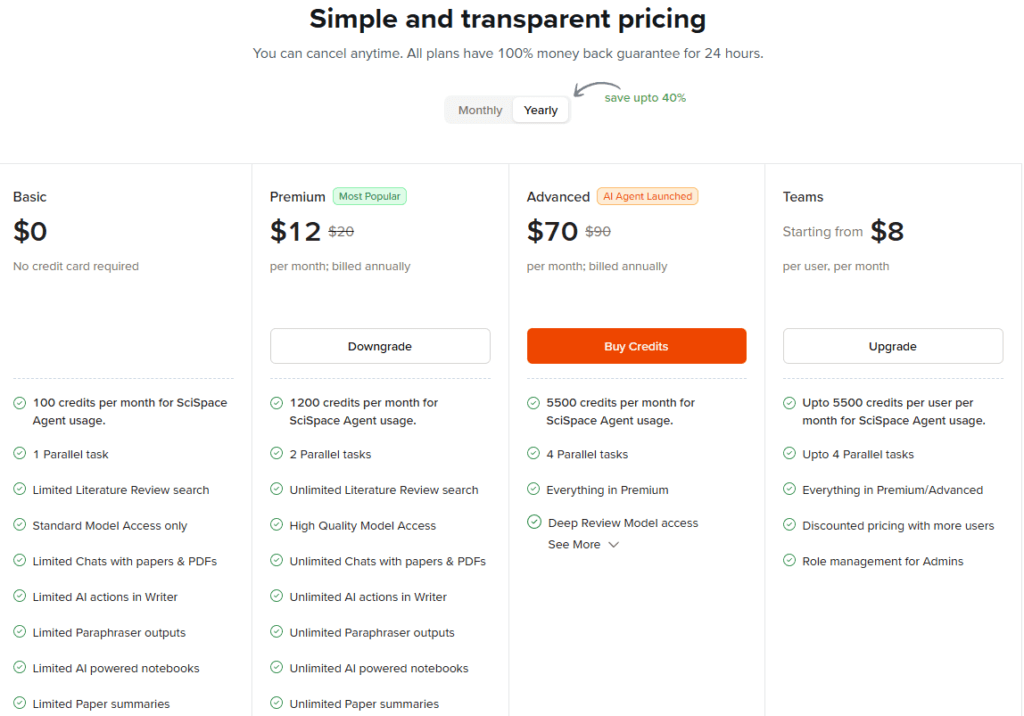
In the long run, the annual plan is usually cheaper than the monthly plan:
| Plan Type | Subscription Type | Coupon Code |
|---|---|---|
| Premium/Advanced | Annual |
ATSAID40
(40% off) |
| Monthly |
ATSAID20
(20% off) |
Enter the coupon code listed above and make sure the updated price is reflected in your payment total before proceeding to checkout.
If you choose the annual Premium Plan, you’ll receive a $57.60 (USD) discount, bringing the total fee to $86.40 per year.

That works out to $7.20 per month—the lowest price available.
Complete payment using Google Pay or a credit card.
What is Deep Review?
SciSpace’s Deep Review enables highly accurate literature searches.
Key Features of Deep Review
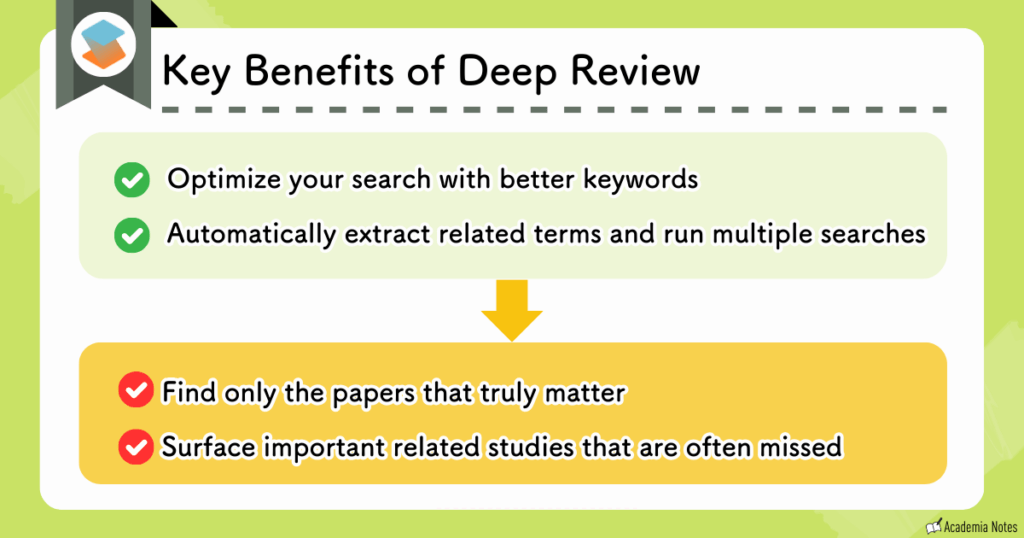
- How does Deep Review optimize searches with better keywords?
-
Before running a search, you can refine and optimize your keywords through the chat interface.
- How does extracting related keywords and simultaneous searches help me in my research?
-
Deep Review automatically detects and extracts related keywords from the ones you input.
By performing multiple searches for each of these keywords, the overall search results become significantly more robust.
In other words:
- Deep Review optimizes your search keywords
- It generates keyword variations automatically and runs multiple searches simultaneously
With these two capabilities combined, Deep Review delivers exceptionally high search accuracy.
Using Deep Review in Practice
Now, let’s actually try it out.
Official Website: SciSpace (https://typeset.io)
Improve the Precision of your Research Questions via Chat
When you search for papers on SciSpace, you start by entering a research question.
Deep Review adds an extra step before the actual search: refining the research question through a chat interface.
Let’s walk through an example.
First, we’ll enter the following question into the search bar:
“How does heavy media consumption affect developmental outcomes in preschool-aged children?”
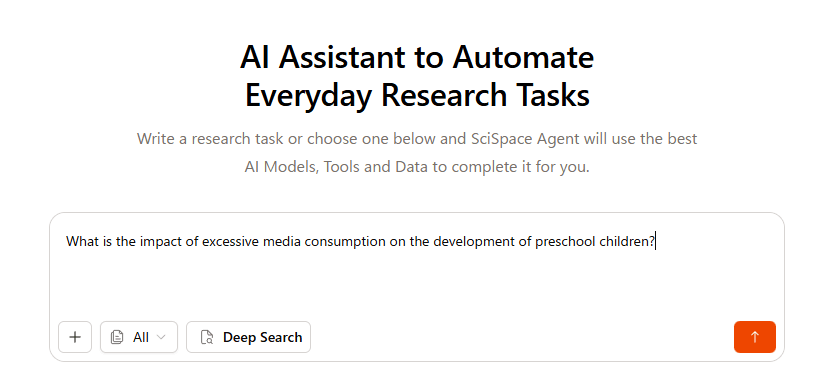
A question phrased this way will produce broad, unfocused search results.
This is where the AI steps in to unpack and clarify your underlying research intent:
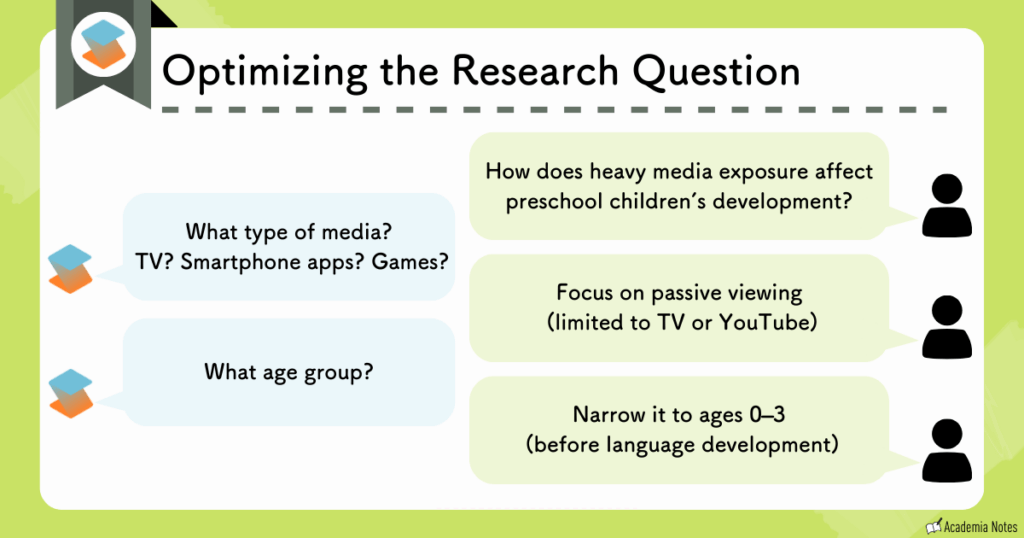
Keyword Optimization Process
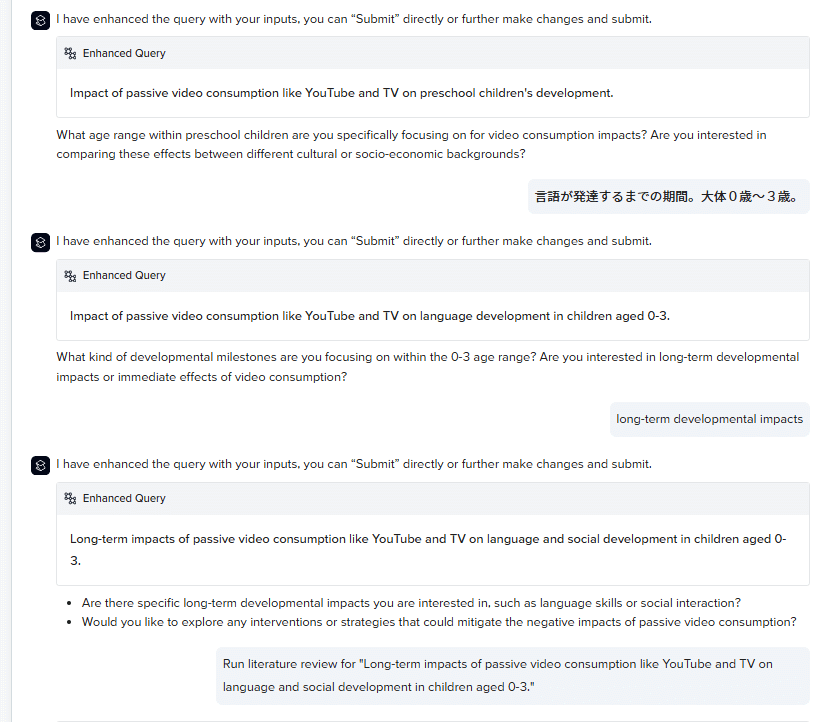
Sometimes the AI asks about conditions you hadn’t previously considered, prompting you to clarify aspects you didn’t even realize were missing.

This process helps me organize my own thinking.
Dig Deeper into Keywords and Conduct Comprehensive Searches
After refining your research question in the chat, click the “submit” button.
Then wait about 3 minutes.
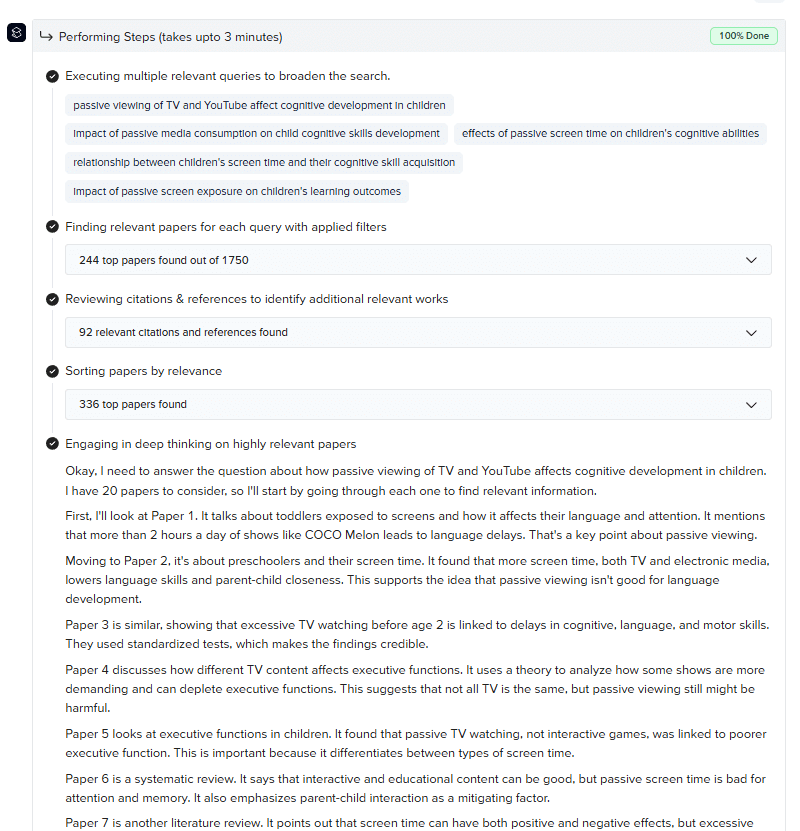
During this time, the system is extracting additional related keywords and running multiple searches for each one.
By running these two processes in parallel, Deep Review broadens the search scope and improves the overall quality of the results.
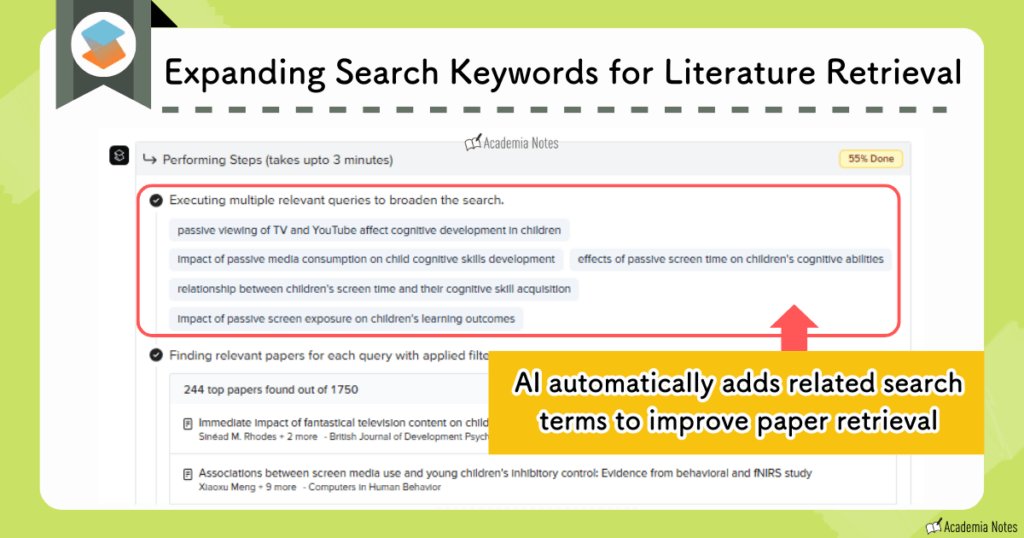
Search In Progress
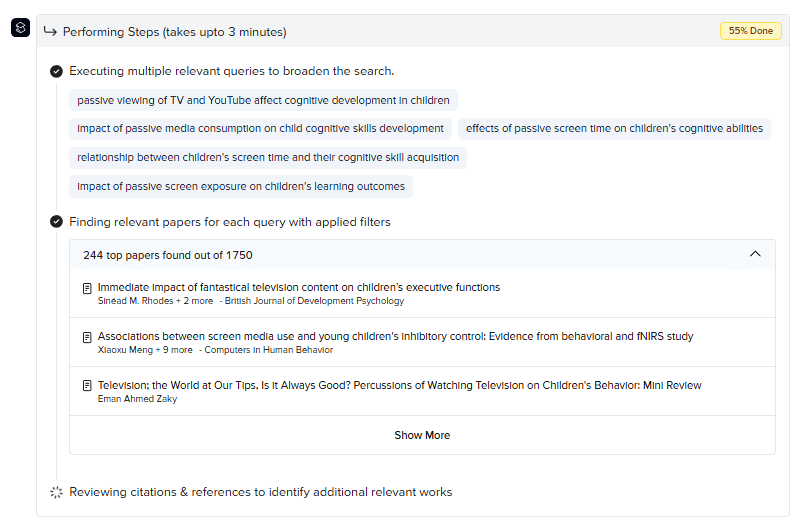
For each newly generated keyword, the system runs multiple searches.
This helps to prevent missing relevant literature due to differences in the wording or phrasing of the research question.
In summary:
- Deep Review optimizes your search keywords
- It automatically generates keyword variations and runs multiple searches in parallel
With these two capabilities combined in one search, Deep Review achieves a level of search accuracy that’s hard to match.
High-Quality, Citation-Backed Summaries
Once the output from your search is ready, start by reviewing the Summary.
You’ll immediately notice how much more polished it is compared to typical AI-generated summaries. The summary generated by Deep Review:
- Is exceptionally comprehensive
- Includes highly accurate citations
- Offers a complete summary with a well-structured narrative from introduction to conclusion
- Available in multiple languages
Example of a Generated Summary
I’ve seen many AI-generated summaries with citations over the years, but the accuracy and depth provided in Deep Review’s summaries are on another level.
You can also click any paper cited in the summary to jump directly to the corresponding entry in the reference list displayed below it.
Search Results That Highlight the Literature You Need
SciSpace‘s search results organize information such as the Discussion and Conclusion of the literature in a table.
You can grasp what each paper is about in a single glance.
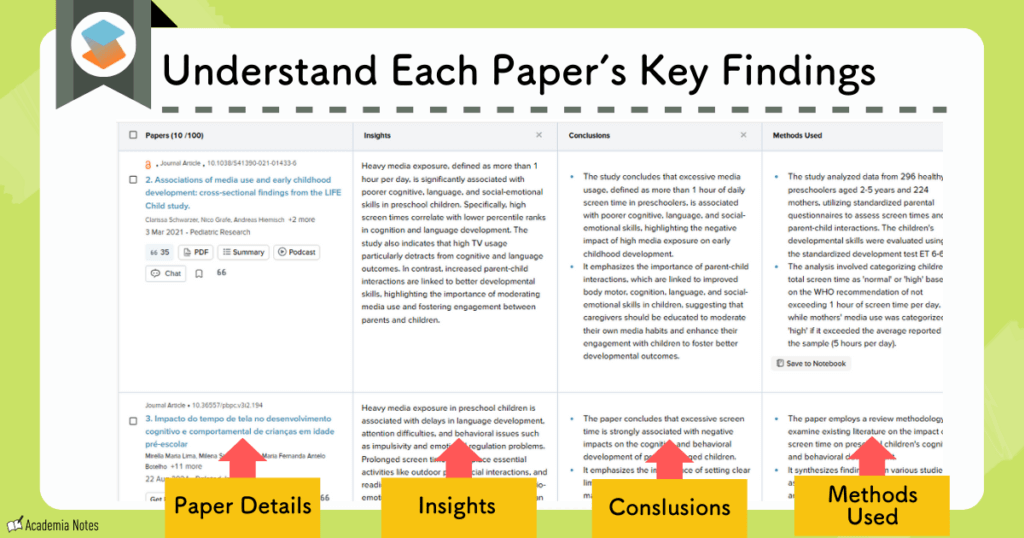
SciSpace Deep Review Search Results Screen
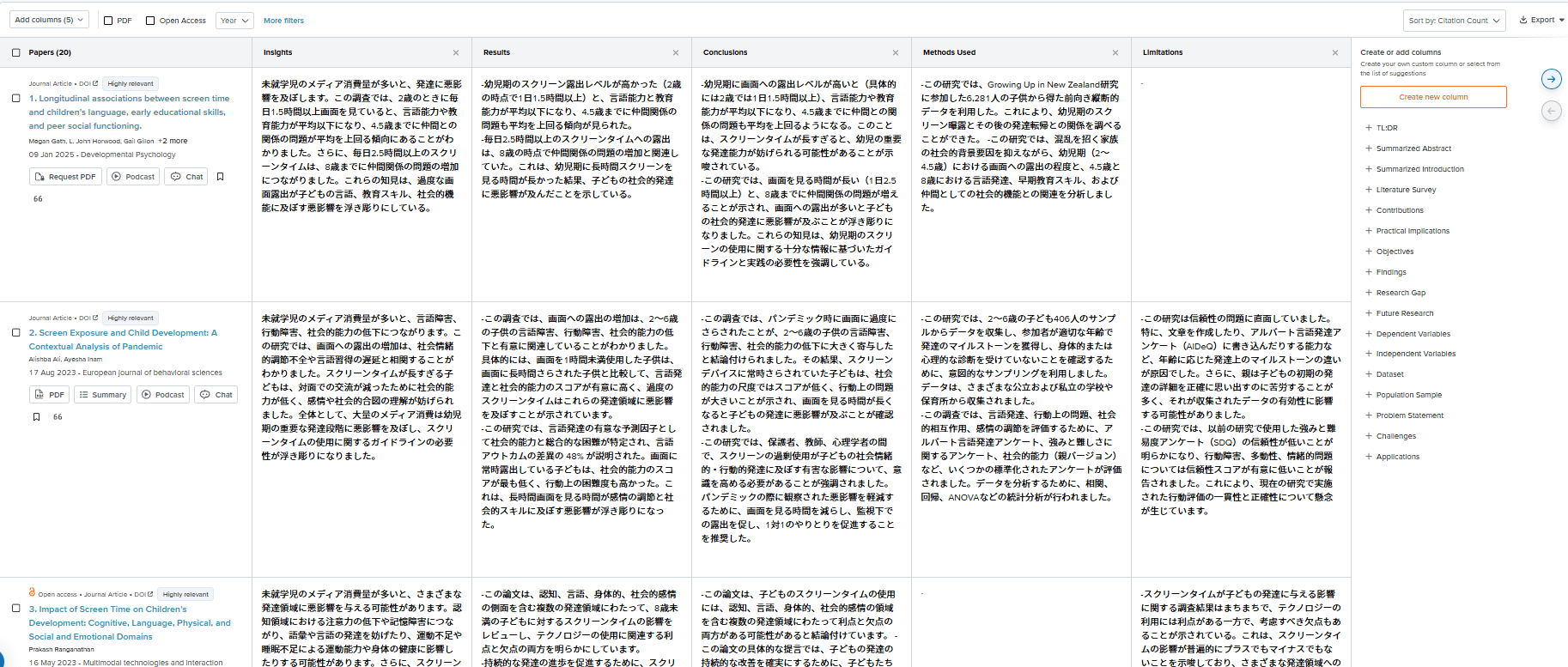
This hasn’t changed—SciSpace’s search results page remains extremely easy to read.
Review the Process that Led to the Final Output
The full process used to generate the search output summary is also preserved for you to review and confirm.
Search Process Summary
The above has been an overview of what it’s like using Deep Review in practice.
To summarize the key points again:
The accuracy of the search results has improved dramatically, making the literature search process much smoother.

Right now, you can subscribe to Deep Review at a 40% discount, for US$42 per month.
I strongly recommend giving it a try while the discount lasts!
The promo code is available here:
- For the annual plan: ATSAID40
- For the monthly plan: ATSAID20
Official Website: SciSpace (https://typeset.io)
Click here for details on SciSpace’s pricing plans.
What is SciSpace?
Here is a brief introduction for those who do not know SciSpace.

SciSpace is the most comprehensive all-in-one AI-integrated research platform that I know of.
I’m a regular user myself.
It includes a wide range of features that support every step of the research process, from searching and reading the literature to writing a manuscript.
Key Features of SciSpace
Search Support: Summaries of papers (including summaries with citations), concept-based literature search
Reading Support: Summaries, reading comprehension assistance via chat, explanations of figures and tables, notes and highlighting functions
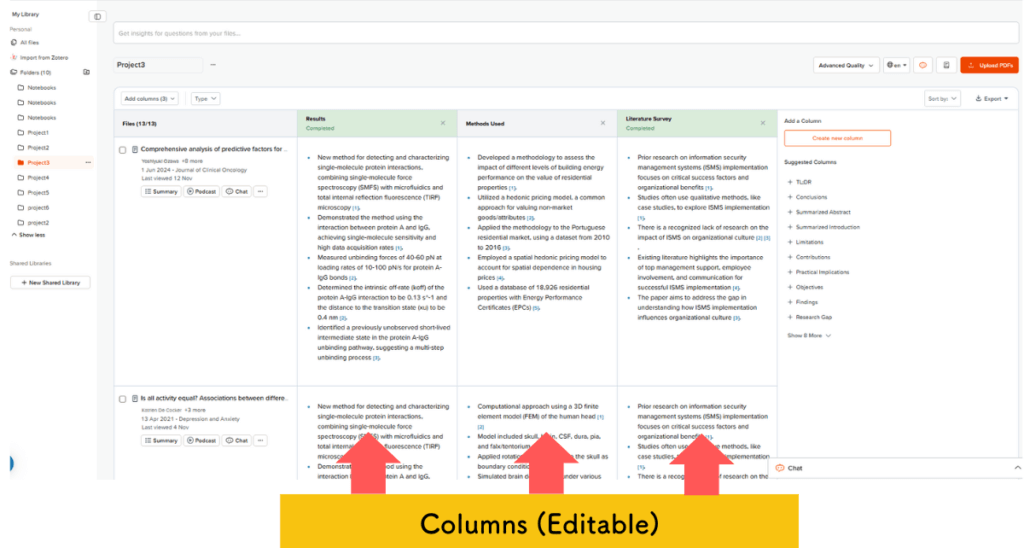
Library Function: Table-style organization for all your papers
Writing Support: AI writer, citation generator, paraphraser, AI detector
Presentation Creation: Auto-generate short videos and slides directly from PDFs
AI Agents
Other: Podcasts, integration with Zotero, Chrome extension
Among the many features SciSpace offers, the ones I especially recommend are:
- AI -powered reading support
- Library management
With the AI reading assistant, you can ask questions directly in the chat panel, allowing you to clarify anything you’re unsure about—all while reading the paper.

SciSpace can even explain figures and tables in detail.
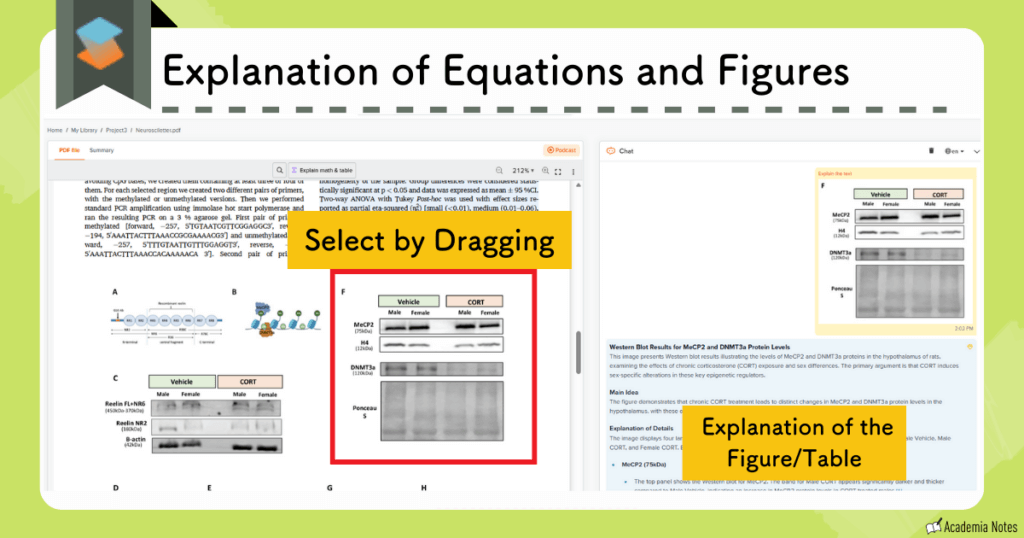
Any papers you save are neatly organized in your library, and you can open and read them on SciSpace at any time.
Moreover, your chat history, notes, and highlights are all preserved, making it easy to revisit and continue your work without losing your place.
SciSpace Library
SciSpace offers an AI platform filled with features built especially for researchers.
I have been a Premium Plan user for over a year, and I feel that it has been more than worth the cost of the subscription.
SciSpace Pricing Plans
To use Deep Review without usage limits, you need to upgrade to the Advanced Plan.
- Premium
- With a promo code, the monthly price is $7.20
- Advanced
- With a promo code, the monthly price is $42
- Max
- With a promo code, the monthly price is $104
Pricing Plans Compared
| Premium | Advanced | Max | |
|---|---|---|---|
| Price | From $7.20/mo | From $42/mo | From $104/mo |
| AI models | ○Pro model | ○Pro + Expert models | |
| Literature search | ○Unlimited | ||
| Paper reading | ○Unlimited | ||
| AI Writer | ○Included | ||
| Deep Research & SLR | ○ | ||
| Monthly usage | 1,200 credits | Unlimited | |
| Parallel chats | Up to 4 | Up to 8 | Up to 16 |
Prices shown apply only when using our coupon code.
For the Enterprise plan, please apply via our contact page.
Last updated: October 2026
The Advanced Plan includes everything in the Premium Plan, plus unlimited use of Deep Review.
If you are planning to incorporate SciSpace into your research workflow, I recommend choosing the Premium Plan or the Advanced Plan.
You can find a detailed comparison between the Free Plan and the Premium Plan here.
Paid Plan Pricing
You can choose annual or monthly billing — the annual plan is clearly the better deal.
| Plan | Monthly (before → after discount) | Promo code |
|---|---|---|
| Premium | $12/mo→$7.20/mo | ATSAID40 (40% OFF) |
| Advanced | $70/mo→$42/mo | |
| Max | $160/mo→$104/mo | AONOTE35 (35% OFF) |
| Premium | $20/mo→$16/mo | ATSAID20 (20% OFF) |
| Advanced | $90/mo→$72/mo | |
| Max | $200/mo→$130/mo | AONOTE35 (35% OFF) |
Show notes (2)
- Prices are in USD.
- Japanese credit cards and Google Pay are accepted.
For full pricing, see the official site.
Last updated: October 2026
Getting Started with SciSpace
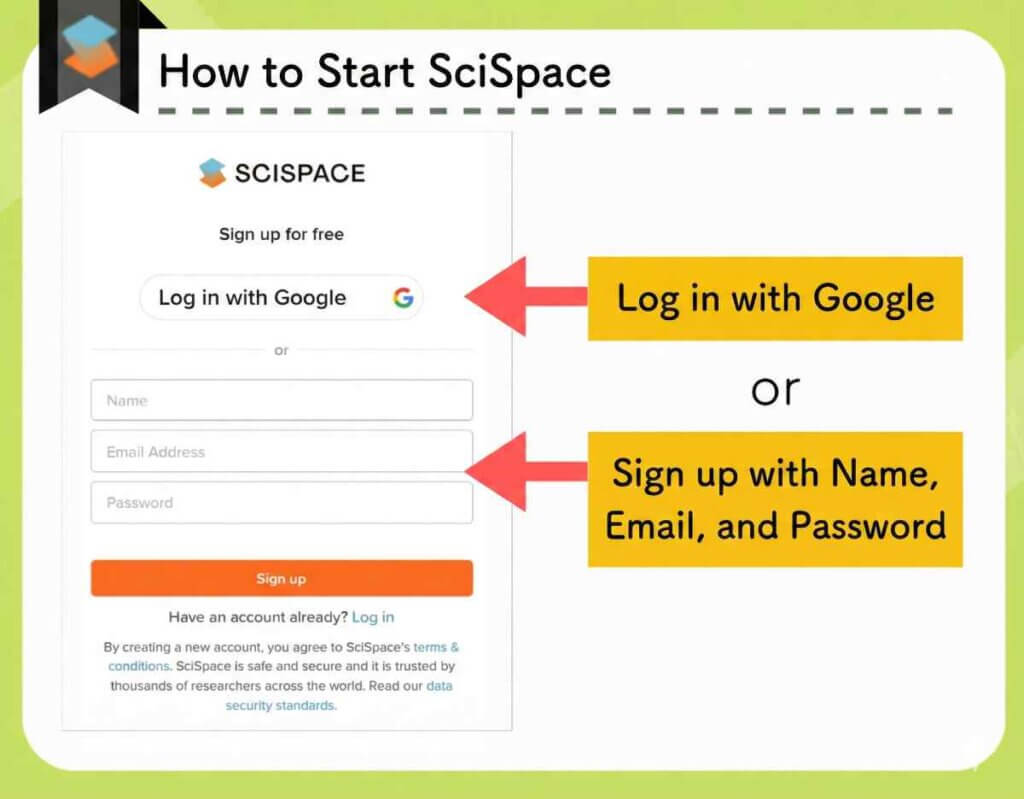
There are two ways to get started with SciSpace:
- Sign in with Google
- Create an account using the following information:
・Name
・Email address
・Password
Enter and Sign up
How to Upgrade to a Paid Subscription
Official Website: SciSpace(https://typeset.io/)
The annual plan is usually cheaper than the monthly plan over the long run:
| Plan Type | Subscription Type | Coupon Code |
|---|---|---|
| Premium/Advanced | Annual |
ATSAID40
(40% off) |
| Monthly |
ATSAID20
(20% off) |
Enter the coupon code listed above and make sure the updated price is reflected in your payment total before proceeding to checkout.
If you choose the annual Premium Plan, you’ll receive a $57.60 (USD) discount, bringing the total fee to $86.40 per year.
That works out to $7.20 per month—the lowest price available.
Complete payment using Google Pay or a credit card.
If you want to upgrade to a paid subscription, click the “pricing” button in the top-right corner of the start screen.
Official Website: SciSpace (https://typeset.io)
Summary
In today’s article, I introduced SciSpace‘s Deep Review search feature:
- Search keyword optimization
- Automatic generation of keyword variants and simultaneous execution of multiple searches
→ Allows you to achieve dramatically higher search accuracy
- Use the promo code “ ATSAID40 ” to get 40% off, bringing the monthly cost to roughly US$42 per month
SciSpace is constantly evolving.
I’ve been a paid user for over a year, and the pace at which it improves still surprises me.
It’s a tool that can dramatically streamline your research workflow, and I strongly encourage you to give it a try!
For More Details:
Official Website: SciSpace (https://typeset.io/)
User Guide: SciSpace Review: Key AI Research Features and Pricing Explained