
What is R Discovery? A Close Look at Its Key Features and Pricing<span class="wtr-time-wrap after-title"><span class="wtr-time-number">14</span> min read</span>
In this article, we’ll introduce R Discovery, a literature-search tool developed by Editage.

Editage is a well-known company for its English editing services, but it also develops a suite of AI-powered tools designed specifically for researchers.
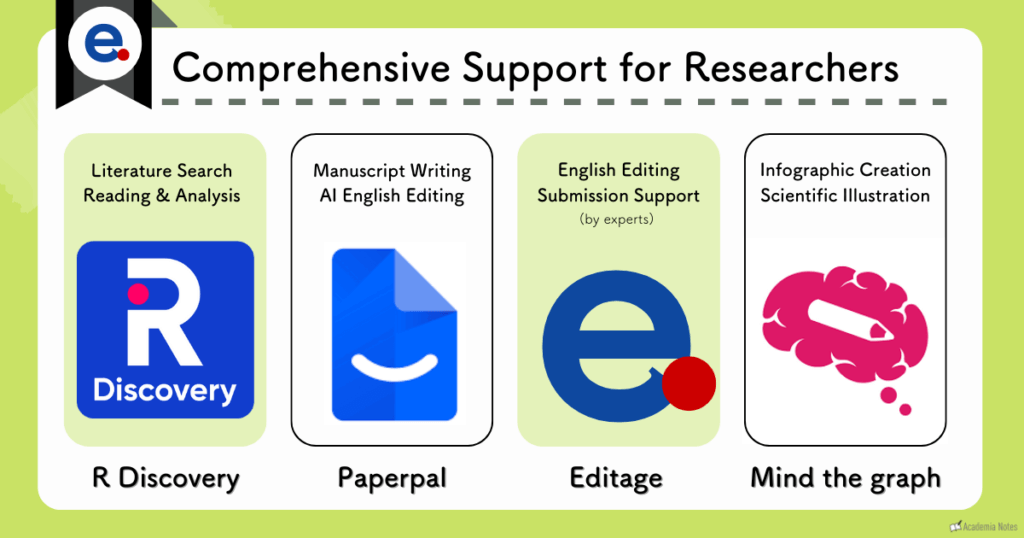

A useful suite of tools that supports multiple stages of the research process.
Among these, R Discovery streamlines literature search and comprehension—supporting your research workflow from the very beginning to the final writing stages.
Here are some of the standout advantages of R Discovery that we feel are useful:
- Recommended Features
- The platform keeps you connected to new publications as they come out, so you can stay updated on the latest research
- Helps reduce the risk of overlooking important references
- Seamless Integration with the Paperpal Writing Tool
- You can continue drafting your paper while searching the literature at the same time
By integrating with Paperpal, R Discovery functions as an all-in-one research tool.
Plans start at about $5 per month, making it a cost-effective option if you want to streamline your workflow.

Consolidating everything into a single tool helps reduce overall costs!
In this article, we’ll provide a comprehensive overview of R Discovery’s features and pricing plans.
Official Website: R Discovery (Official Site)
Official Website: Paperpal (Official Site)
A detailed explanation of Paperpal can be found in the article below 👇
What is R Discovery?
What R Discovery Offers
- Advanced filtering for precise literature searches
- Feature-rich article pages
- Personalized recommendations based on your research interests
- Seamless integration with Paperpal
- Enhanced support for reading and understanding papers
- Text-to-speech functionality, allowing you to listen to articles
- Tools for sharing papers with collaborators
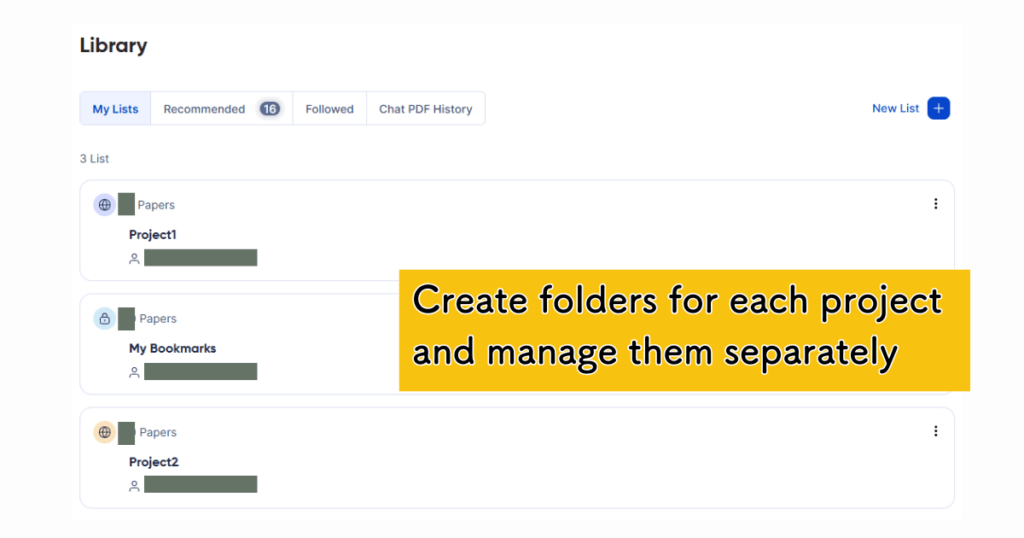
- Multi-project management
- Built-in reference manager
- The Editage All Access Plan is particularly good value
- Pricing starts at about $5 per month
R Discovery is a Tool Developed by Editage
Editage provides a wide range of tools and services for researchers, offering comprehensive support across the entire research workflow.
Research Tools Produced by Editage
- Literature search tool: R Discovery
- Academic writing and editing tool: Paperpal
- Illustration and figure-creation tool: Mind the Graph
After using these tools throughout your research process, you can also transition to professional
English editing and manuscript-submission support supervised by experts.
The seamless integration between R Discovery and Paperpal is especially appealing, making it easy to move from literature search to writing without breaking your workflow
By consolidating your workflow with Editage’s suite of services, you can move efficiently from literature search all the way to submission—while also keeping costs down!
Four Key Features of R Discovery
Let’s take a closer look at what makes literature search with
R Discovery so effective.
Feature 1: Advanced Filtering for Precise Literature Searches
First, let’s start by looking at the main search interface.
After entering a research question, you then apply filters to narrow down the results.
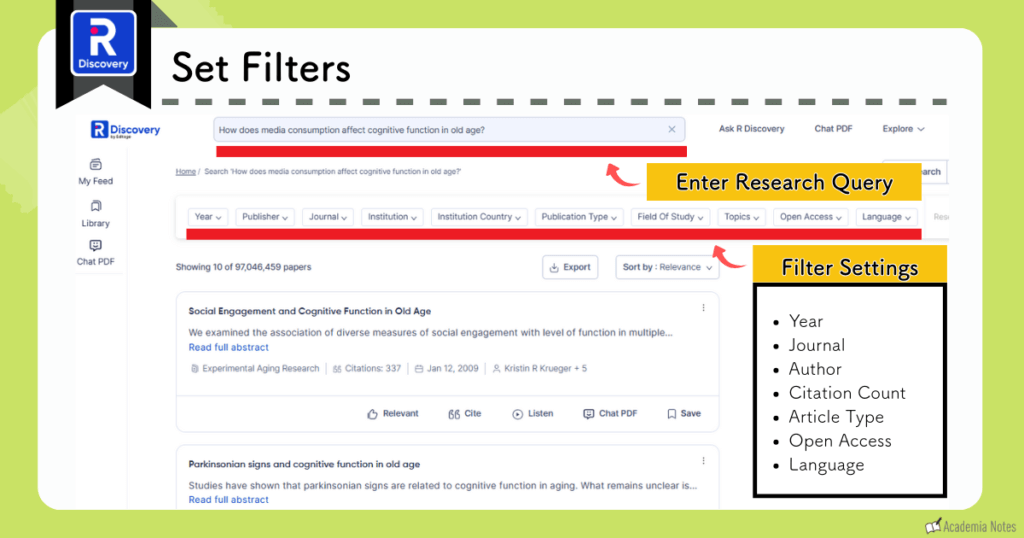
R Discovery offers a wide range ot filtering options.
Having a several filtering options is especially helpful when you already have a clear idea of the type of paper you’re looking for.
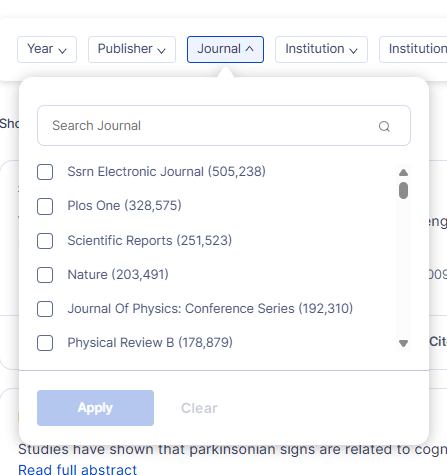
In addition to preset dropdown options—including journal and institution names—you can also type in specific words directly for more precise filtering.
Feature 2: Highly Functional Article Pages
R Discovery‘s article pages offer a surprising number of useful features.
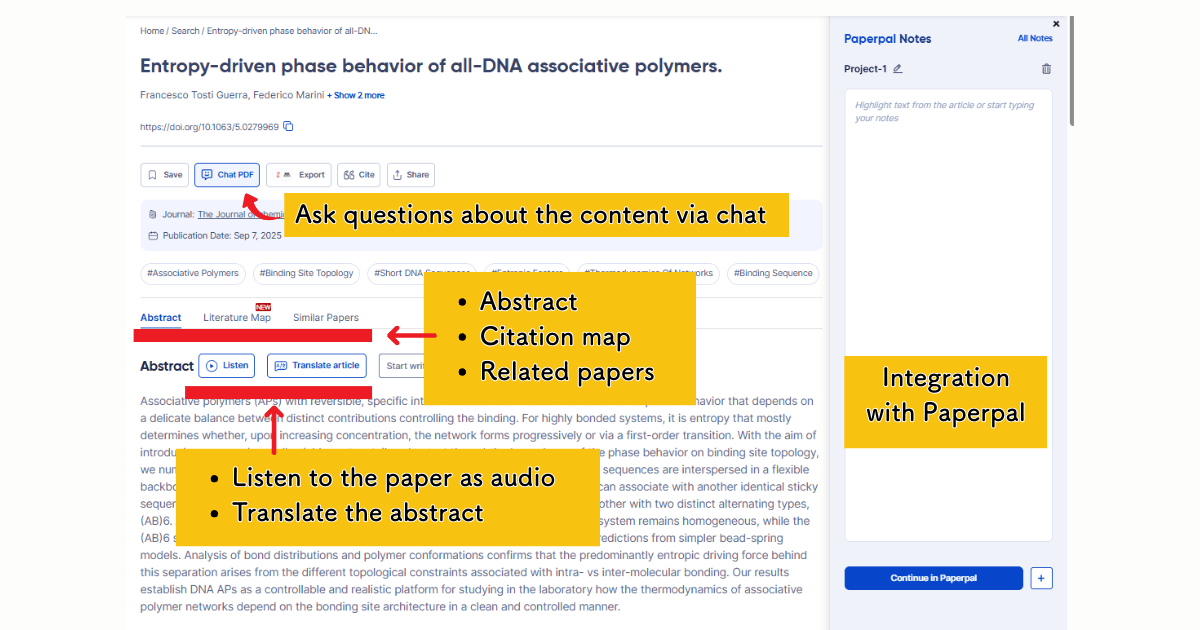
- Ask questions about the article content via chat (paid plan only)
- View a citation map
- See a list of related papers
- Listen to the paper with text-to-speech
- Translate abstracts and other sections
- Seamlessly connect to Paperpal
The amount of information pertaining to related literature is particularly impressive!
The interface is clean and easy to follow, which makes for a very good first impression.
You can access related-paper information in two main ways: 👇
- A citation map centered on the paper you’re viewing
- A list of similar papers displayed below the main content
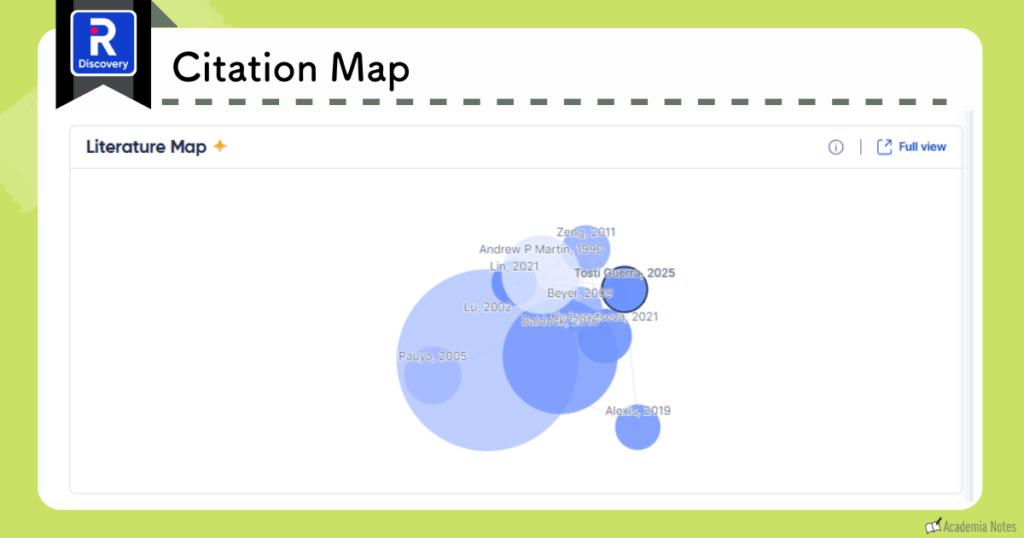
One notable aspect is that the citation map is displayed directly within the article page, which is less common among similar tools.(other tools usually require you to enter the title or DOI into a seperate citation-search screen).
Furthermore, R-Discovery automatically recommends similar studies, helping you uncover related literature with minimal effort.
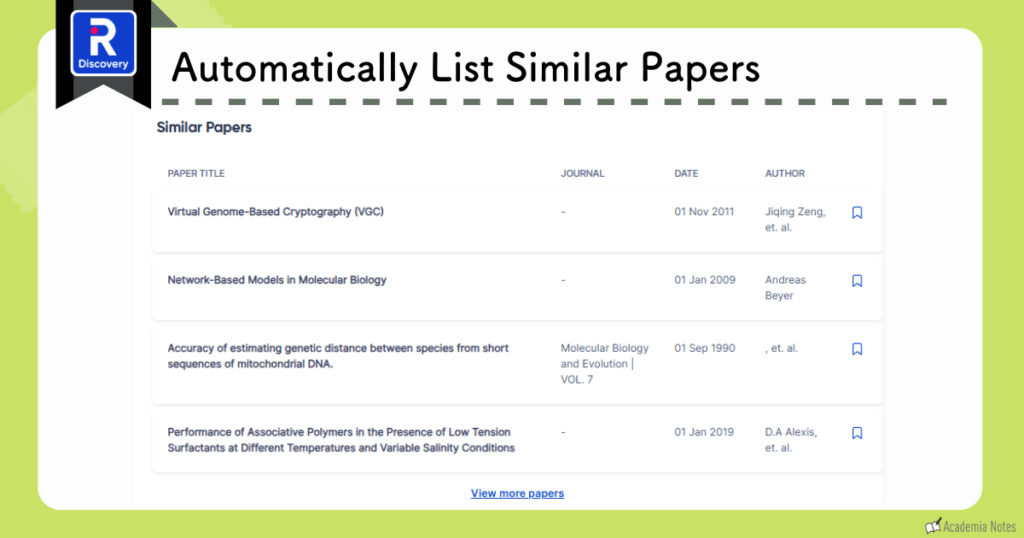

R Discovery dramatically reduces the risk of missing important papers in your review!
Feature 3: Seamless Integration with Paperpal
As mentioned several times already, one of R Discovery’s biggest strengths is how effortlessly it connects with the Paperpal writing tool.
On each article page, a Paperpal panel appears on the right side of the screen. You can start writing—or continue drafting your manuscript—right there without switching tabs.
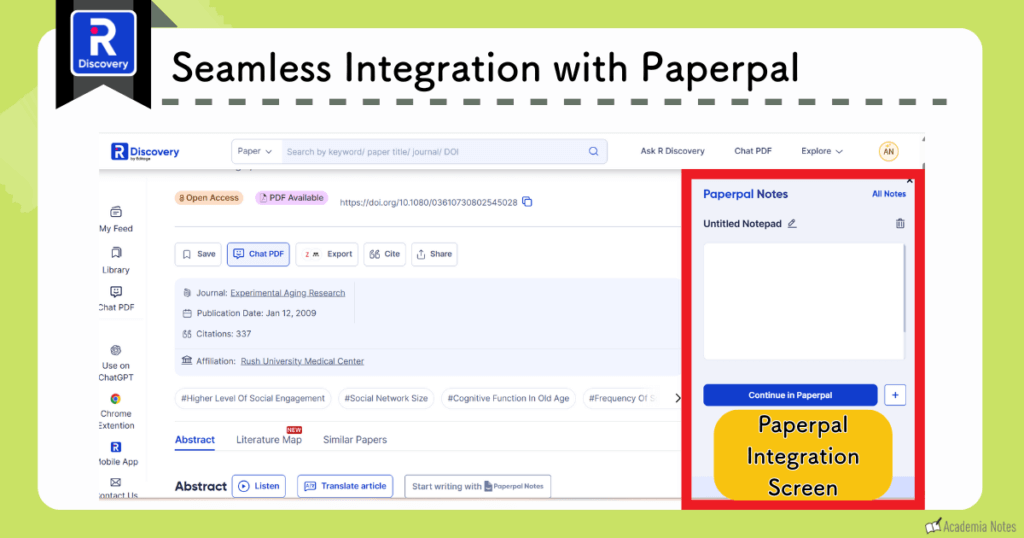
This makes it easy to draft sections of your paper while referring to abstracts, methods, or figures from the paper you’re currently reading.
Here’s what you can do:
- Add or edit sections of your draft
- Write notes and memos directly in the workspace
Combining R Discovery with Paperpal makes the entire workflow much smoother!
If you’d like to learn more about Paperpal, you can check out the article link below.
Overall, the combination of R Discovery and Paperpal make the research process far more convenient because you don’t have to jump back and forth between multiple tools
Feature 4: Personalized Paper Recommendations
On My Feed, the main homepage of R Discovery, the platform automatically recommends papers you should check based on your field and reading history.
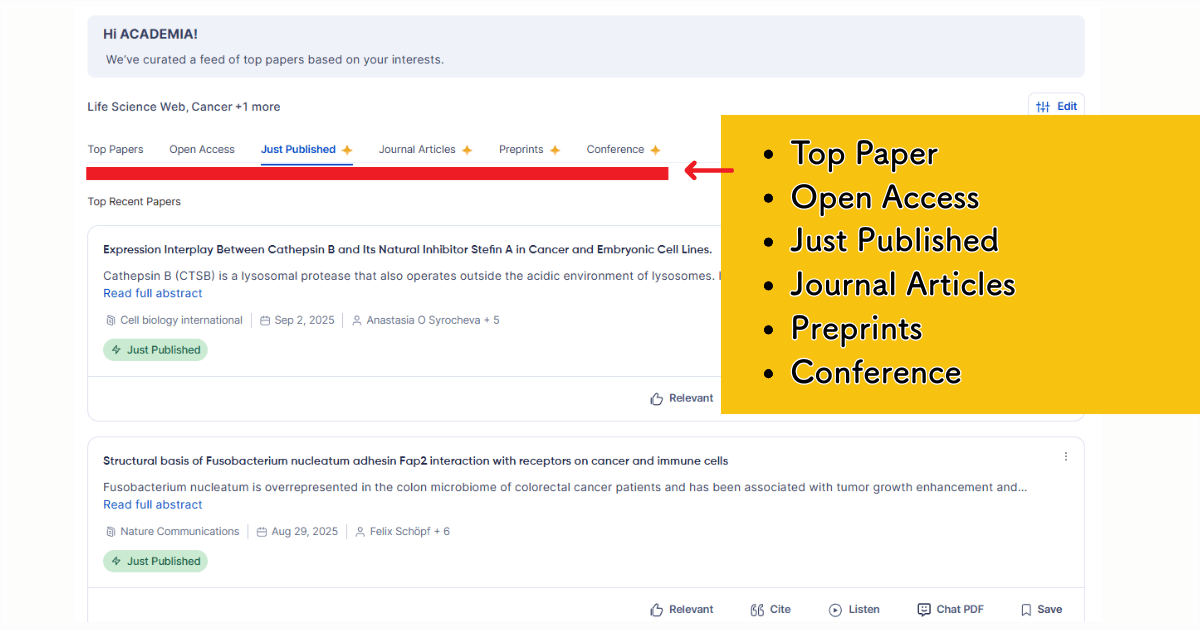
Recommended papers are organized into six tabs:
- Trending papers
- Open-access papers
- Newly published papers
- Papers from journals you’re following
- Preprints
- Conference presentations
To improve recommendation accuracy, it’s a good idea to fine-tune your preference settings.
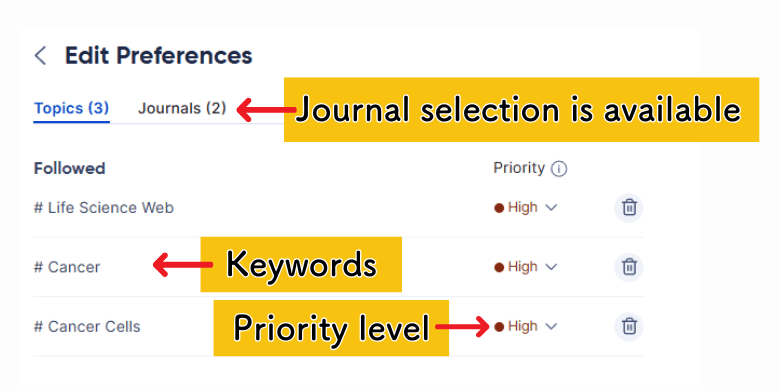
Once that’s done, simply opening R Discovery lets you quickly scan the papers most relevant to you.

This helps prevent missing important publications and gives you peace of mind knowing you’re staying on top of the latest research!
[Summary of R Discovery’s Literature-Search Features]

The surprising part: all of these features are available for free!
Official Website: R Discovery (Official Site)
Additional Features Available with R Discovery’s Paid Plan
The free plan already covers most of the core functions, but upgrading to a paid plan unlocks even more powerful capabilities.
What You Get with the Paid Plan
- Enhanced reading Support
- Text-to speech for listening to papers
- Multi-project management
- Shared reading lists for collaboration with colleagues
- Automatic syncing with your reference manager
Paid Plan Feature 1: AI-Powered Reading Support
With the paid plan, you can ask the AI questions about the paper while viewing it side by side.
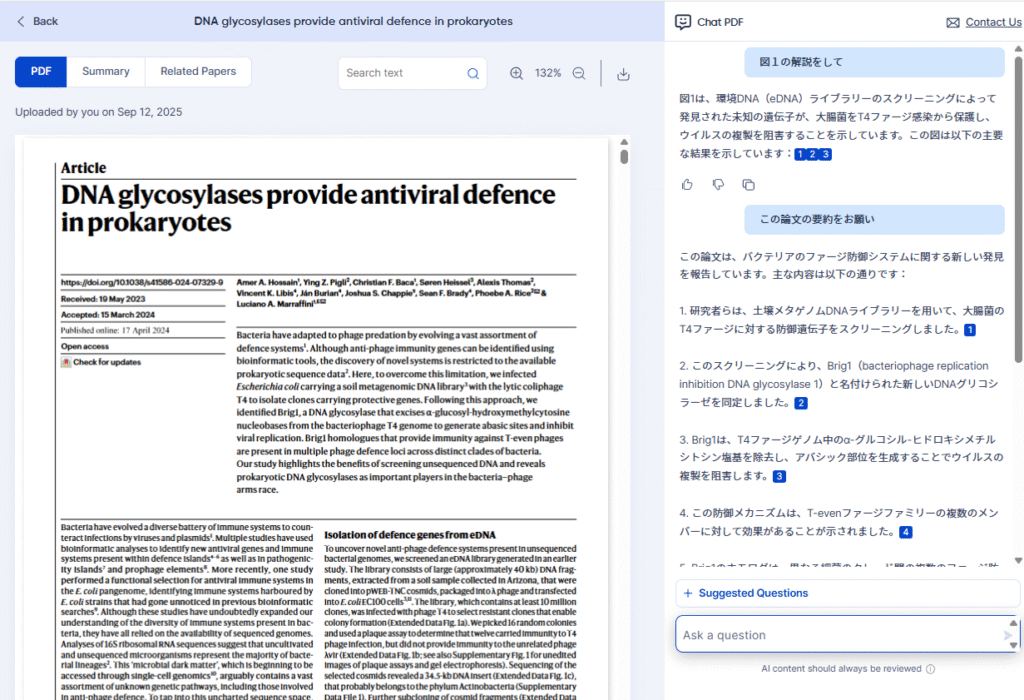
You can also highlight any section of the text and request actions such as “translate this” or “explain this term.”
Paid Plan Feature 2: Listen to Papers with Text-to-Speech
The paid plan also lets you convert papers into audio, allowing you to absorb information by listening.
It’s perfect for when you want to multitask. You can review literature while commuting or doing other tasks!
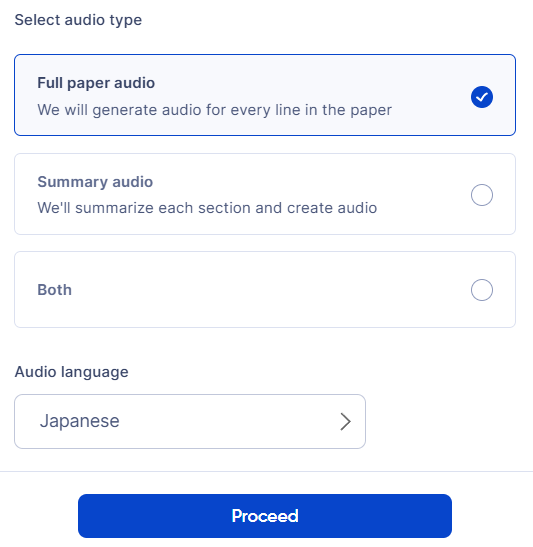
You can also select Japanese or English audio—handy if you want to combine research with a bit of language practice.
Audio Options
- Full Paper Audio
Reads the entire paper from beginning to end. - Summary Audio
Provides summarized audio for each section—ideal if you want to hear only the main points. - Both
Generates both full-text audio and a summarized version.
Paid Plan Feature 3: Multi-Project Management
Create separate folders for multiple projects, making it much easier to organize and manage the papers relevant to each of your studies.
Paid Plan Feature 4: Shared Reading Lists
You can collaborate with lab mates or colleagues by creating shared reading lists.
New papers—especially recent or trending ones—can be automatically shared with everyone on the list!
Paid Plan Feature 5: Automatic Reference Manager Synchronization
Your R Discovery reading lists can be synced directly with your Zotero/Mendeley account, keeping your references updated without extra work.
R Discovery Pricing Plans
R Discovery offers three payment plans:
- Free Plan
- Prime(Stand-alone-plan)
- about $5.30/month
- Prime Bundle ←Recommended
- about $10.60/month
The free plan covers the basic search features, but…
…the Editage All Access Plan is the most cost-effective option.
That’s because it includes these additional tools:
- Paperpal Prime (for writing support)
- Mind the Graph (for figure and illustration creation)
With the All Access Plan, you can consolidate your entire workflow—from searching, reading, and presenting to writing and English editing—all within the Editage system.
Efficient and cost-saving!
| Free Plan | Prime | Prime Bundle | |
|---|---|---|---|
| Annual Fee | – | $64 | $127 |
| Annual Fee (Monthly) | – | $5.30/month | $10.60/month |
| Literature Search | |||
| Citation map | |||
| Paper Recommendation | |||
| Reading Support | |||
| Text-to-Speech | |||
| Multi-Project Management | |||
| Reference Manager Syncing | |||
| Shared Reading Lists | |||
| AI Writing Tools (Paperpal) | Usage limits apply | Unlimited | |
| Plagiarism Check (Paperpal) | 7,000 words/month | 10,000 words/month + submission-ready file editing | |
| Illustration and Figure Creation (Mind the Graph) | Unavailable | Unlimited access to 75,000+ illustrations | |
What Does Paperpal Include in the Editage All Access Plan?

Paperpal is an AI-powered writing and editing tool designed specifically for researchers. It supports both English editing and manuscript drafting.
Here’s an overview of Paperpal‘s core features 👇
- English editing
- Rewriting and refinement
- Create first drafts using templates
- Writing Assistance
- Translation
You can find a detailed explanation of Paperpal in the article link below.
What Does Mind the Graph Include in the Editage All Access Plan?
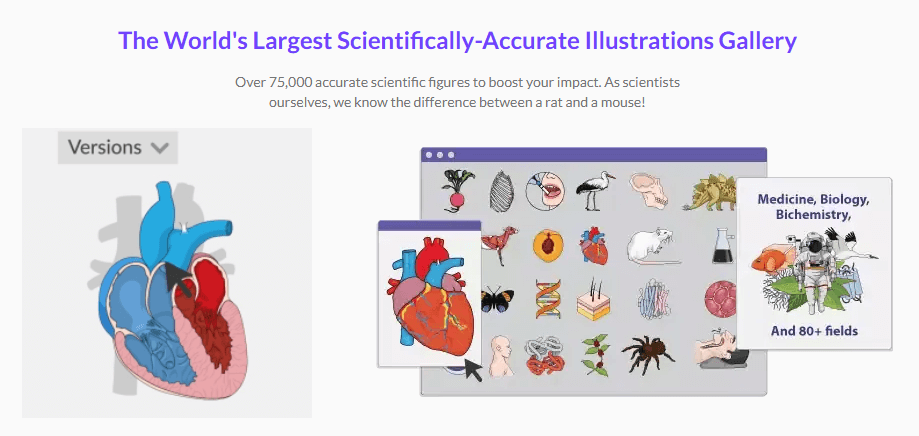
Mind the Graph is a scientific-visualization platform optimized for researchers.
It allows you to easily create professional quality illustrations and diagrams that can be used in journal papers, conference presentations, posters, educational materials, etc.—even without specialized design skills.
It’s a great way to significantly elevate the quality of illustrations in posters and papers!
Official Website: Mind the Graph (Official Site)
Drawbacks of R Discovery
Let’s also touch on some of the limitations of R Discovery
Limited Information on Article Content
R Discovery’s literature search results are quite good, as shown in the illustration below.
However, when you open an individual paper, the content you can view is mostly limited to the abstract.
If you’re looking for tools that offer richer, table-style summaries (as shown in the example below), R Discovery may feel somewhat limited in this area.
Tools like SciSpace provide more structured summaries, which may be helpful depending on your review style.

Summary of R Discovery
- Its seamless integration with the Paperpal writing platform is one of its strongest advantages
- Advanced filtering for precise searches
- Highly functional article pages
- Personalized paper recommendations
- Seamless integration with Paperpal
- AI-assisted reading support
- Text-to-speech
- Shared reading lists
- Multi-project management
- Reference manager synchronization
- The Editage All Access Plan is the recommended option
- Starting at about $5 per month, it includes access to related tools like Paperpal and Mind the Graph
R Discovery is a convenient tool for everyday research, allowing you to maximize efficiency through AI-assisted tools.
Even the free plan is suprisingly capable, so it’s worth trying first to see how well it fits your workflow👇
Official Website: R Discovery (Official Site)
If you’re interested in other Editage services, check out the articles below:
There are also discount coupons available here: