
This article explains the AI support tool for researchers called Research Rabbit.

For researchers, overlooking prior research is a critical oversight.
“I started research, only to find similar work already exists.”
“I started writing my paper without checking crucial papers. Now I have to redo the discussion.”
Research Rabbit visualizes related papers in a network starting from a “seed paper,” preventing situations like ‘I missed checking an important paper!’
Surprisingly, it’s completely free to use.
- Search and visualize related papers based on a key paper
- Prevents you from overlooking citations of related papers
- Completely Free
Official Website: Research Rabbit (https://www.researchrabbit.ai/)
Research Rabbit Overview
Research Rabbit Features
- Extracts and visualizes related papers from one core paper
- Sorts chronologically
- Filters searches by authors, citation counts, and more
- Completely free to use
4 Key Features of Research Rabbit

Now, let’s explain its various features.
Research Rabbit Feature #1: Visualize Related Papers
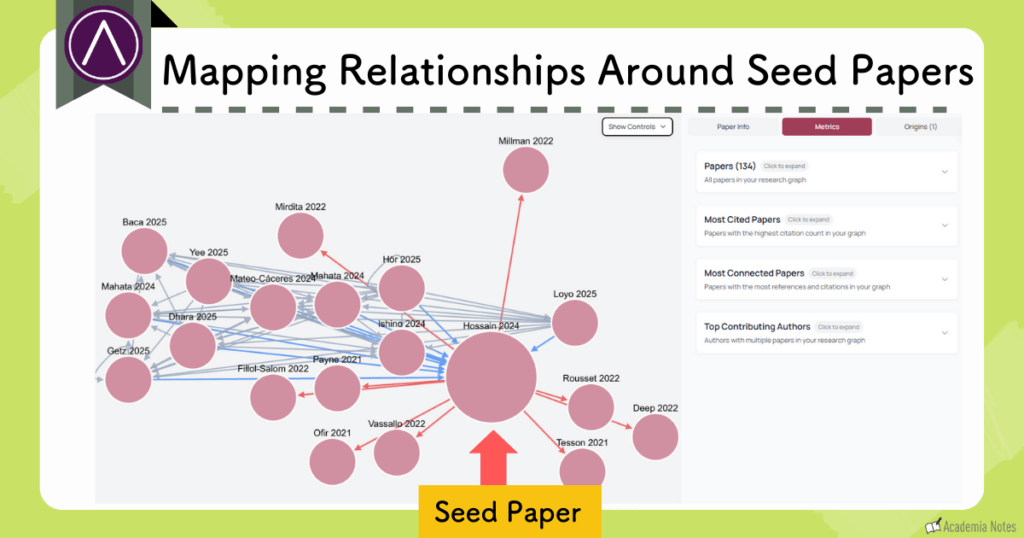
When you upload a single paper, it visualizes related papers from that original paper.
It is convenient for importing papers, as it integrates with Zotero.
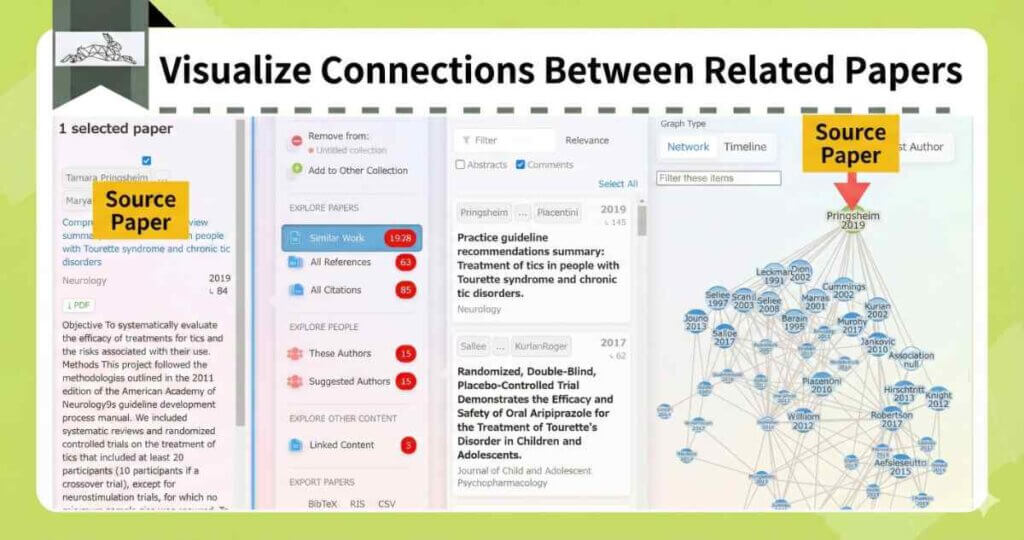
By grasping the overall picture in this way, you can prevent missing citations.
Research Rabbit Feature #2: Deep Dive into Related Papers
If there’s a paper you’re interested in, clicking it reveals details, allowing you to delve deeper.
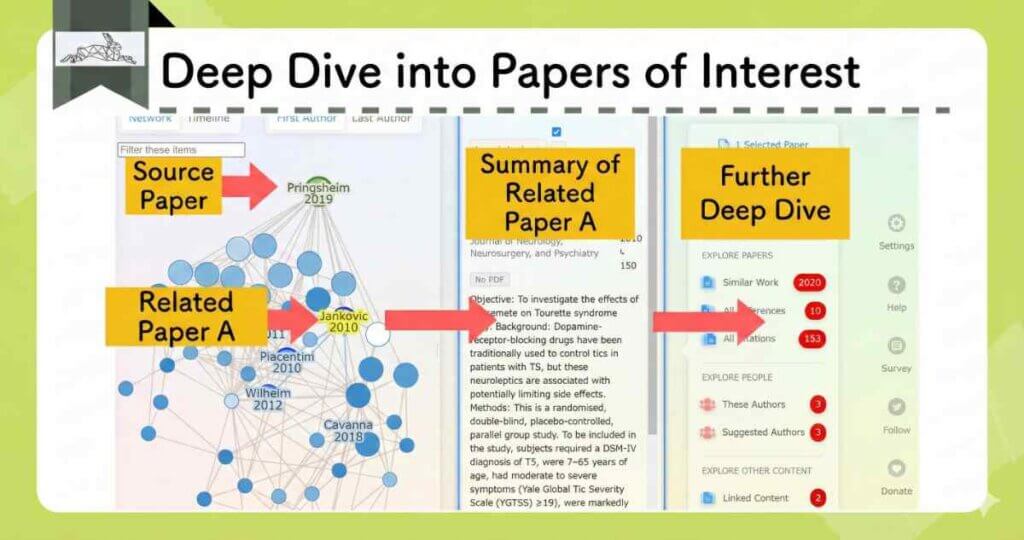
Centering on a related paper that you’re interested in, you can visualize related papers in the same way.
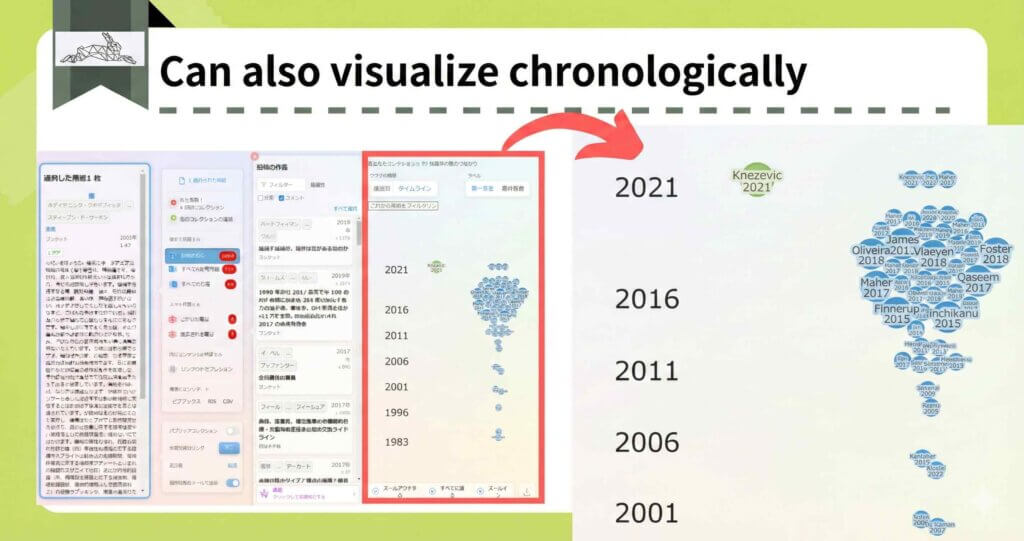
Research Rabbit Feature #3: Sort Chronologically
Furthermore, you can also sort them chronologically.
Research Rabbit Feature #4: Search by Various Criteria
You can also narrow down your search by filtering for similar papers, references, citations, authors, and more.
By using Research Rabbit, you can grasp the overall picture of a field and check related papers without missing any.
Research Rabbit Pricing Plans
Research Rabbit is provided completely free of charge.

It is incredible that such a powerful tool is available for free.
Instead, they accept donations to continue providing it for free!
Donate here: https://opencollective.com/researchrabbit
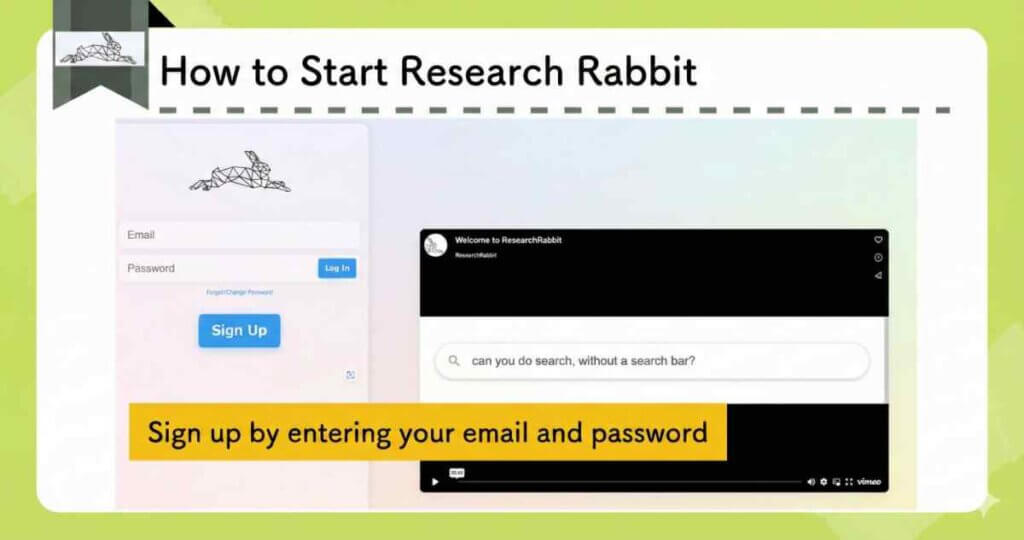
How to Get Started with Research Rabbit
First, please register your email and password to create an account.
There are no other registration fields, so it’s immediately available for use.
On the Research Rabbit interface, add a seed paper.
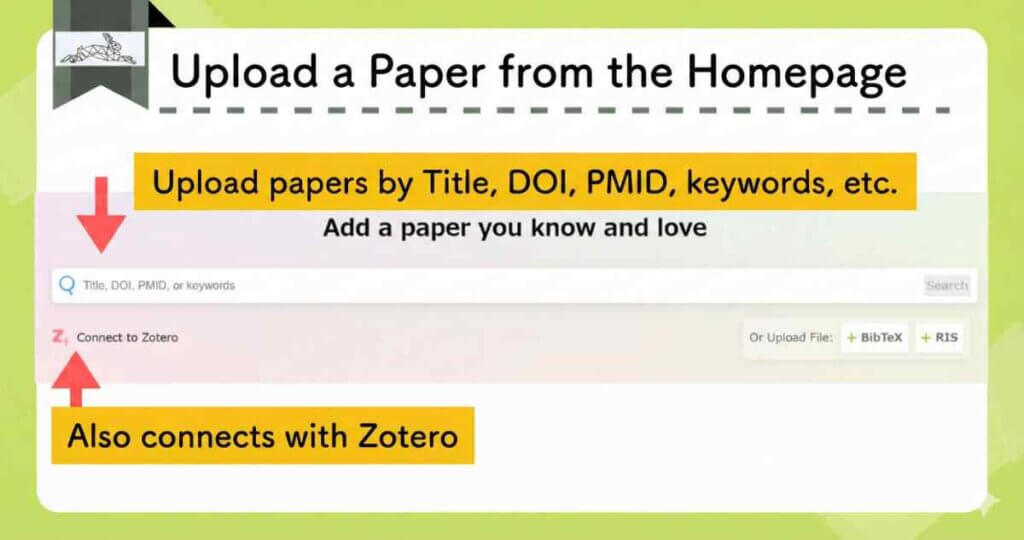
As shown below, related papers are networked and visualized.
Tools Similar to Research Rabbit
There are other tools that can visualize related papers, similar to Research Rabbit.
AnswerThis

Tools for visualizing related papers are often standalone, but the all-in-one tool AnswerThis includes this as one of its features.
The flow from paper search to discovery of related papers is completed within the same tool, making it very smooth!
See the article below for details!
Official Website: AnswerThis (https://answerthis.io)
Explanation Article: [Latest Research AI] What is AnswerThis? Detailed Explanation of 7 Features and Pricing Plans
AnswerThis is particularly good at “literature reviews”, so please keep that in mind when reading.
Connected Papers

Similar to Inciteful, it visualizes the connections between papers, centering on the uploaded paper, as shown below.
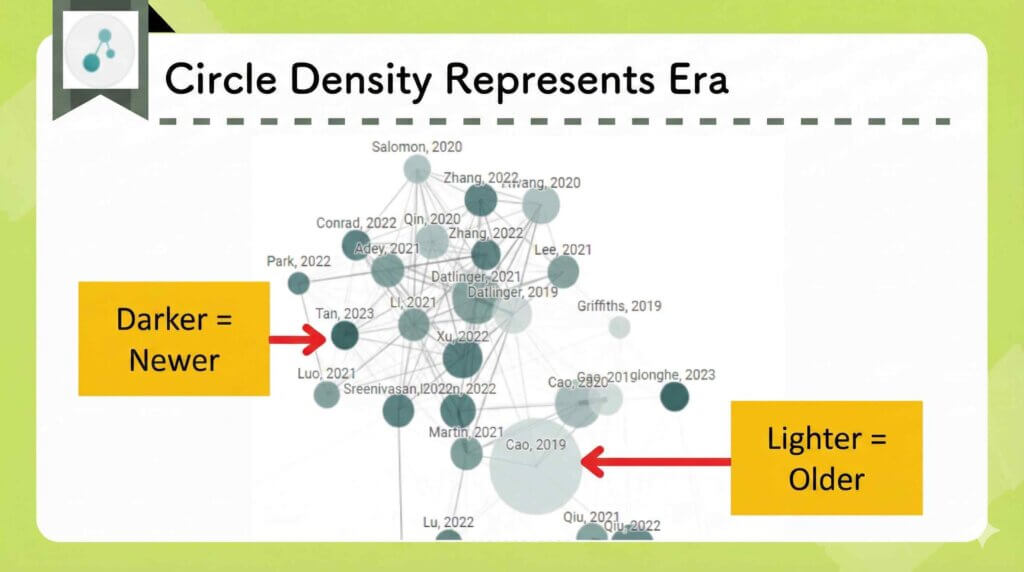
From the graph, the following information can be read:
- The distance between circles indicates the strength of the connection.
- The size of the circles indicates the number of citations.
- The shade of the circles indicates the publication year.
You can create up to 5 graphs per month for free.
Connected papers has the advantage that its operation is simple and it’s visually easy to understand.
Official Website: Connected papers (https://www.connectedpapers.com/)
Explanation Article: What are the benefits of using Connected papers? Explaining 7 Recommended Features and Pricing Plans
scite

Scite_ is a tool that checks citations, classifying whether a citation is supportive, contrasting, or merely a mention.
It color-codes the stance of the cited work relative to the original paper.

This relationship can be represented in a network, similar to Connected papers.
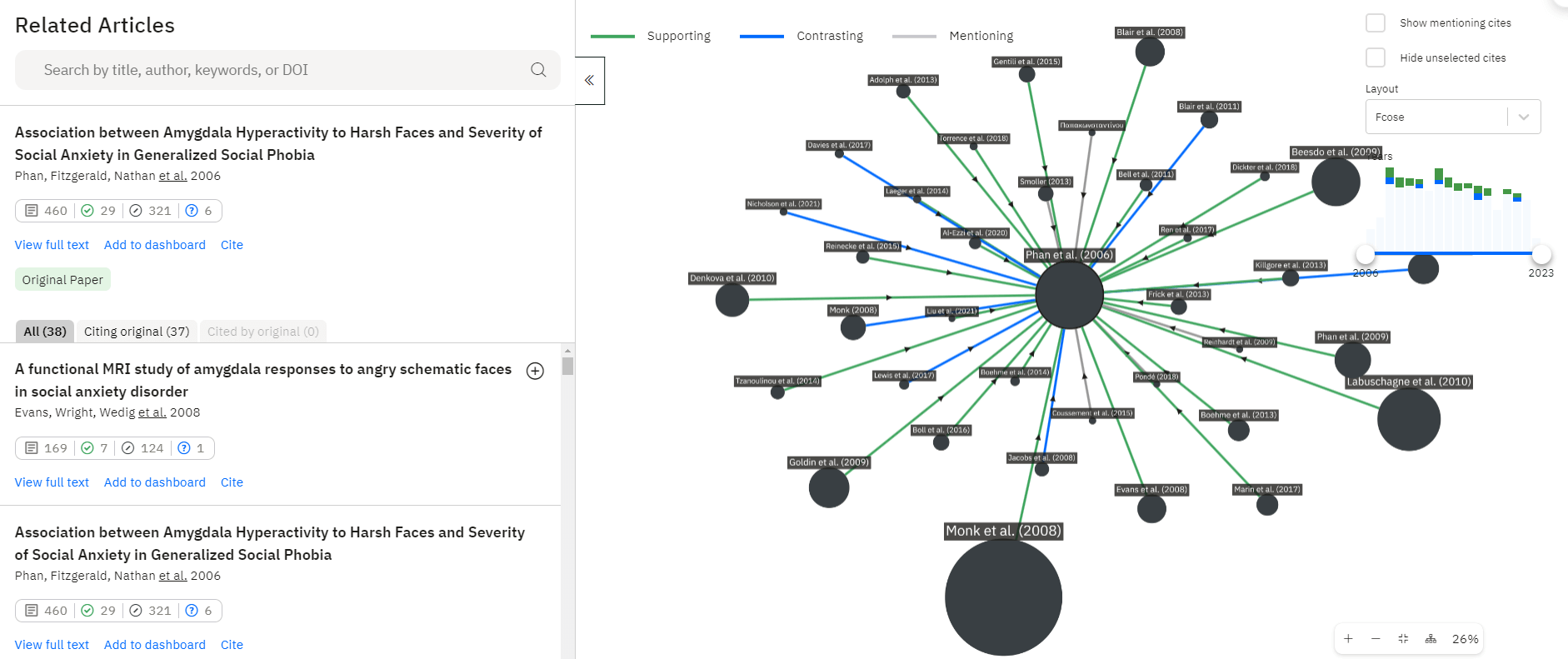
From the diagram, the following information can be read:
- Green arrow: Supportive
- Blue arrow: Contrasting
- Gray arrow: Mention
- Circle size: Number of citations
Scite_ is the only tool that can distinguish the stance of cited works.
Official Website: Scite_ (https://scite.ai/)
Read more: [Explained by an Active Researcher] How to Use Scite_ and Its Benefits: AI Checks Paper Citations!
Inciteful

Inciteful is also a tool that visually displays related papers, similar to Connected papers.
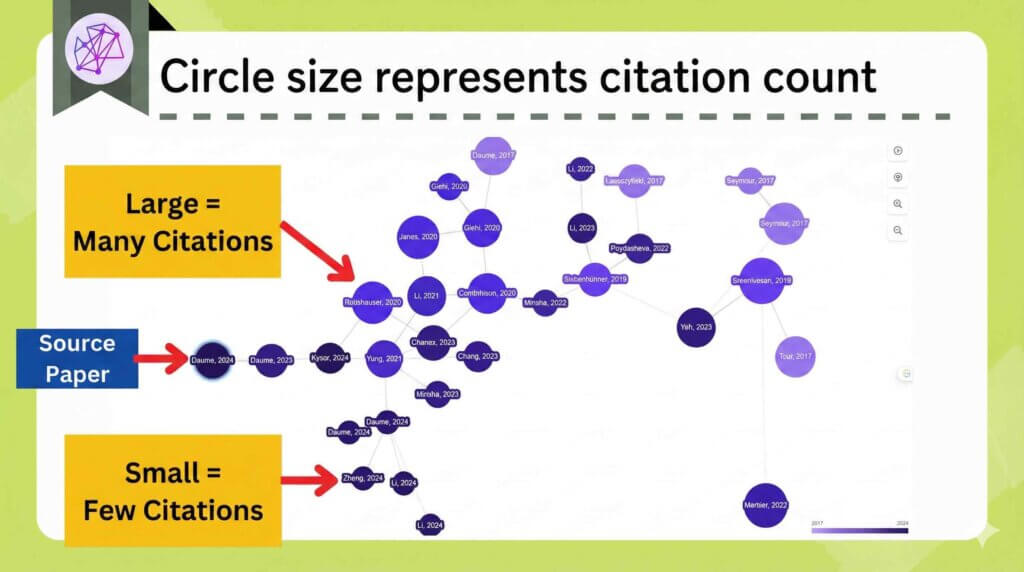
By uploading a Bibtex file, you can import multiple papers at once.

Free and unlimited use.
No account registration is required, which is an advantage for casual use.
Official Website: Inciteful (https://inciteful.xyz/)
Explanation Article: [In-depth Explanation] What are the Benefits of Using Inciteful? Explaining 8 Recommended Features
Summary of Research Rabbit
- Related papers are clearly visualized, allowing you to check for missing citations and more.
- Can search by various criteria.
- Completely free to use.
It’s definitely a tool you should try at least once!
We also introduce other convenient tools for researchers and graduate students, so please explore the site.
Thank you for reading to the end.
I share updates on new posts on X and Instagram.
Please follow me to stay updated!
A Request
Thank you for reading.
This is a personal blog that I update little by little in my spare time.
If you found this content helpful, I would appreciate it if you could share your thoughts on social media.
Your feedback encourages me to keep creating new articles.