
Supercharge Your Research: 7 Game-Changing AI Tools for 2026<span class="wtr-time-wrap after-title"><span class="wtr-time-number">36</span> min read</span>
在这篇文章中,我将带你了解七款 AI 工具,它们可以显著简化你的研究工作流程。
目前,已经有大量专门为研究人员量身定制的 AI 工具可供使用。
- 使文献检索“更快且更准确”
- 确保不会遗漏任何相关论文
- 在提升理解力的同时,加快阅读速度

以下是我将要介绍的 7 款工具。
点击即可跳转到你感兴趣的工具。




SciSpace

根据我的经验,SciSpace 在研究人员可用的平台中脱颖而出,堪称权威的一体化研究平台——也是我在自身研究工作中高度依赖的工具。

我本人就是一名重度用户。它功能丰富,涵盖从文献检索到阅读理解的各个环节。
以下是我推荐 SciSpace 作为研究人员首选 AI 工具的四个理由:
- 一款面向研究人员的一体化 AI 工具,集论文检索、阅读工具和 AI agents 于一体。
- 通过 Deep Review 实现深入的论文检索与摘要生成。
- 提供阅读支持,可通过提问帮助你理解复杂论文。
- 自动从论文中提取数据,并将其整理成表格,便于高效比较与分析。
All-in-One AI for Researchers: Search, Read & Agents
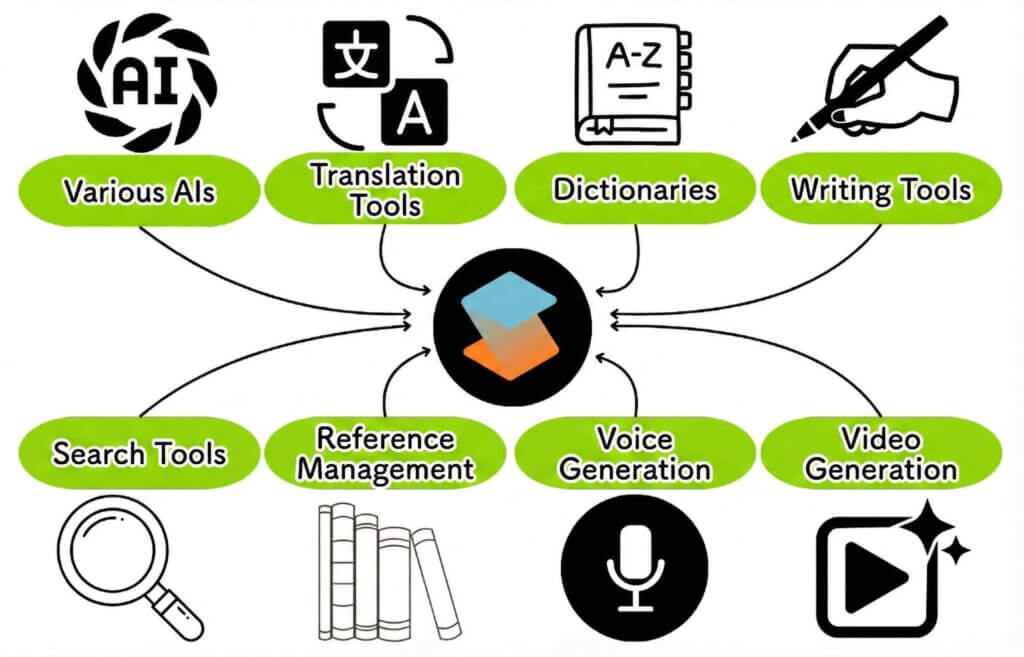
SciSpace 正在不断演进;尤其值得一提的是,它于 2025 年 2 月推出了 Deep Review 搜索功能,并在 7 月进一步引入了高级 Agent 能力。

作为研究型 AI 领域的先行者,它配备了研究人员所需的一切功能。
通过 Deep Review 实现深入检索与摘要
随着 Deep Review 的推出,文献检索的准确性达到了新的高度。
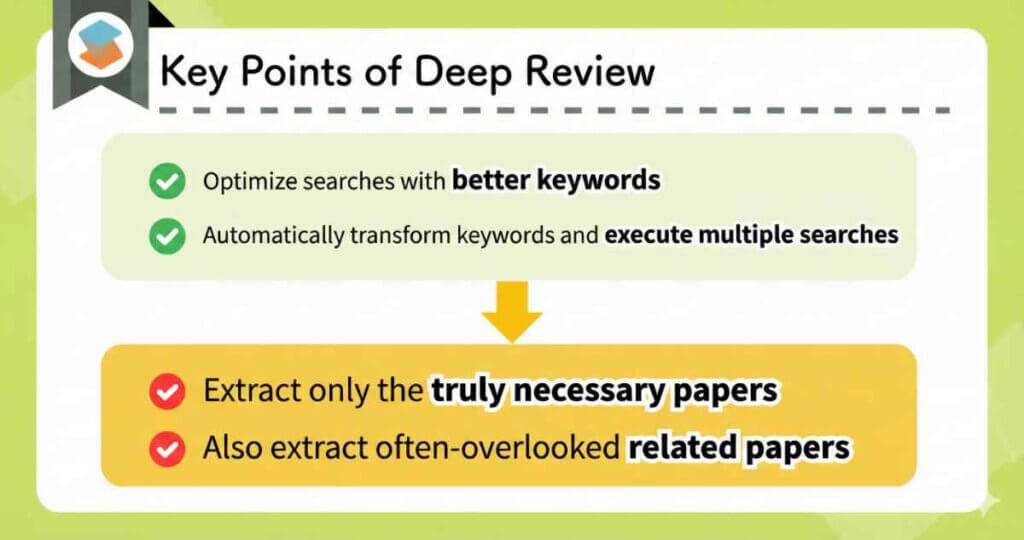
其幕后流程如下:
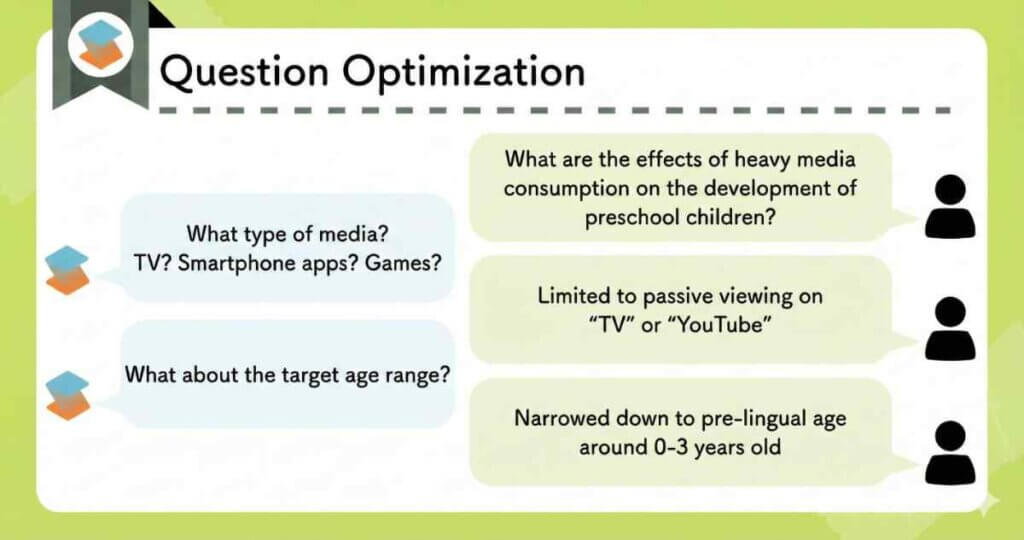
它通过与 AI 的直观对话式界面,对你的检索查询进行优化。
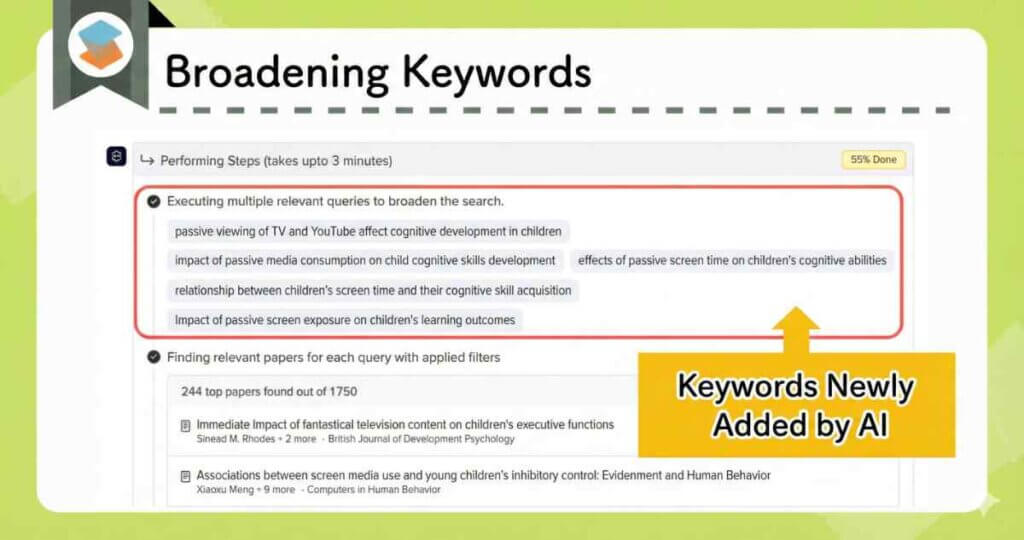
它会自动提取相关关键词,并在后台同时运行多次检索。

无需任何复杂的 prompting;整个界面完全直观易用。
通过这一流程,它可以为你生成一份高度准确的文献综述。
- 覆盖范围极其全面。
- 引用准确性极高。
- 摘要完整,涵盖从引言到结论的全部内容。
- 语言水平极高。
实际评测
我在一篇专门的文章中对 Deep Review 的能力进行了更为详细的介绍。
阅读更多:
复杂论文的交互式问答
SciSpace 的阅读支持是其最有用的功能之一。在阅读过程中,你可以通过屏幕右侧的聊天界面即时澄清问题。
例如,你可以提问:
“这篇论文有哪些新的发现?”
“[Term] 是什么意思?”
“是否有其他相关参考文献?”
(选中一段文字)“解释这一部分。”
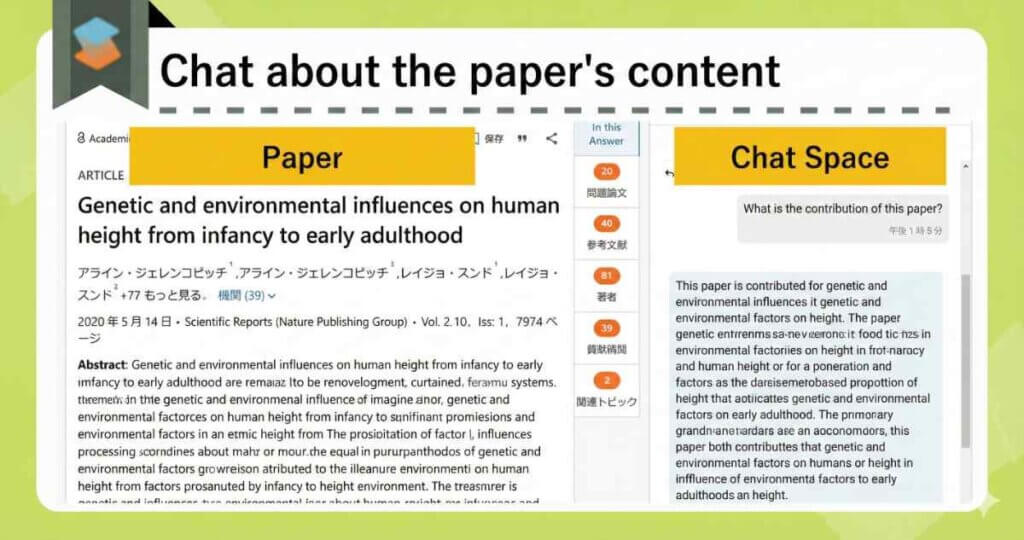
问题一旦出现即可立刻解决,使你能够在不中断专注力的情况下继续阅读。
如果你遇到不理解的段落,只需高亮选中文本,即可获得即时摘要或翻译。
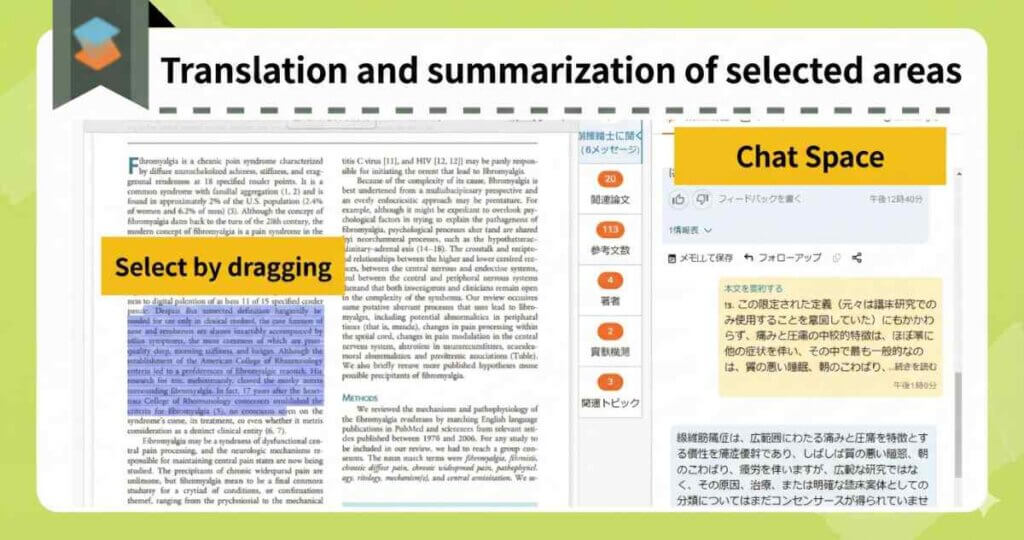
它甚至可以对复杂的公式和图表给出快速解释。
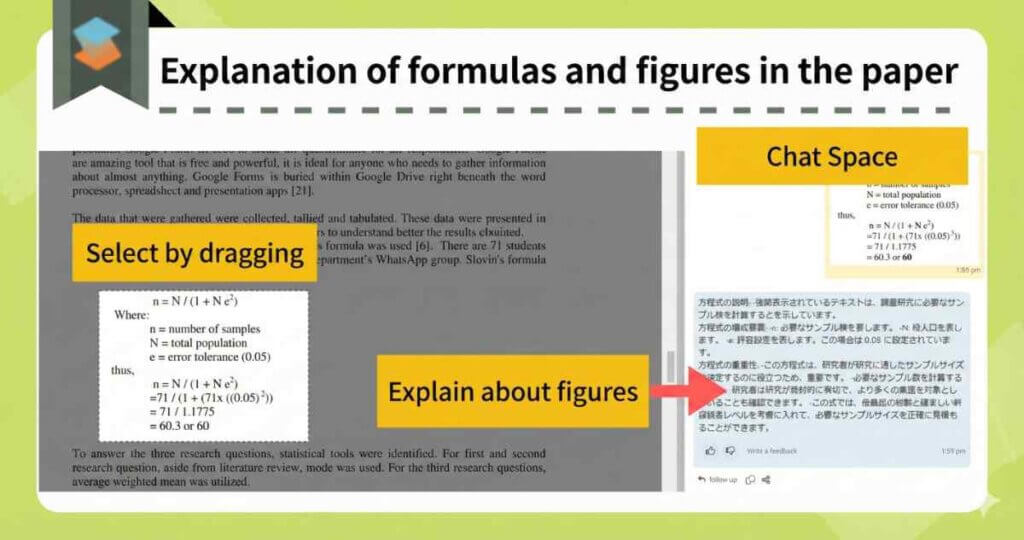
这可以显著提升你的阅读速度。
数据提取与对比表格
将论文中的特定数据点(如 “Results” 或 “Methods”)提取到表格中,可以让相关文献之间的比较变得毫不费力。
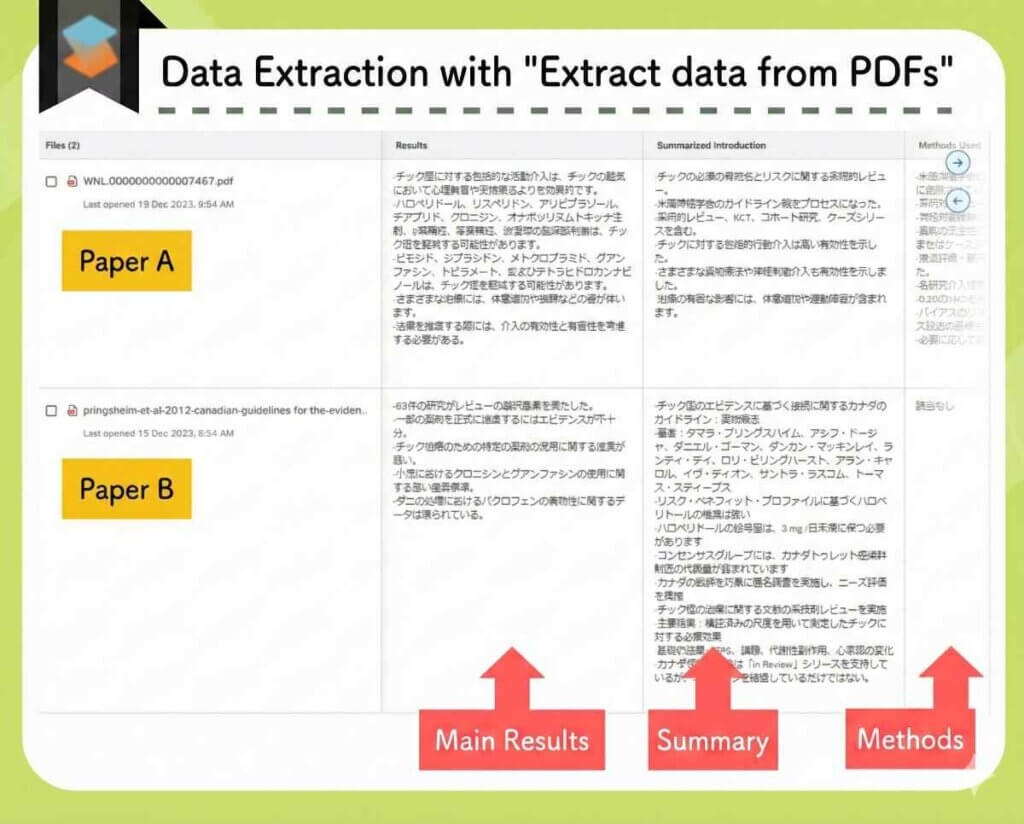

此前,我需要手动创建 Excel 表格来整理这些信息——而这一过程现在已经完全实现了自动化。
此外,SciSpace 还内置了以下功能:
- AI Writer(写作支持)
- Paraphraser
- 从 PDF 自动生成介绍视频和幻灯片
- AI Detector
SciSpace 的核心优势在于,它将研究过程中所需的所有关键工具整合到了一个统一的平台之中。
SciSpace Pricing Plans
SciSpace offers three plans:
- Free Plan
- Premium Plan ($7.2/month with promo code)
- Advanced Plan ($42/month with promo code)
Simple Pricing Comparison
| Free Plan | Premium Plan | Advanced Plan | |
|---|---|---|---|
| Price | – | From $7.2/mo | From $42/mo |
| Paper Search | △ Basic / Limited | ○ High Quality / Unlimited | |
| Reading Support | △ Basic / Limited | 〇 High Quality / Unlimited | |
| AI Writer | △ Basic / Limited | ○ High Quality / Unlimited | |
| Deep Review | Not available | ○ Unlimited | |
Paid Plan Pricing
ou have the option to choose between an annual plan or a monthly plan.
However, the annual subscription is significantly more cost-effective.
| Billing Cycle | Monthly Cost (Regular → Discounted) | Promo Code | |
|---|---|---|---|
| Premium Plan | Annual | $12/mo → $7.2/mo |
ATSAID40
40% OFF |
| Monthly | $20/mo → $16/mo |
ATSAID20
20% OFF | |
| Advanced Plan | Annual | $70/mo → $42/mo |
ATSAID40
40% OFF |
| Monthly | $90/mo →$72/mo |
ATSAID20
20% OFF |
Important Note: The promo codes are valid only for first-time paid subscriptions. For example, you cannot use these codes when upgrading from the Premium Plan to the Advanced Plan.
Accepted payment methods include credit cards and Google Pay.
For more details:
Official Site:SciSpace(https://typeset.io/)
Related Article:SciSpace Review: Key AI Research Features and Pricing Explained
Related Article:
Paperguide

Paperguide is a tool that has recently been gaining traction among researchers in the market. It offers functionality comparable to SciSpace but at a significantly lower price point.
With the launch of Deep Research in June 2025, its performance has been further enhanced.
Its strong focus on the AI Writer also serves as a key differentiator from SciSpace.
- High-precision literature search via Deep Research.
- AI Writer capable of generating natural text with an appropriate academic tone.
- An all-in-one tool covering the entire workflow: search, summarization, reading comprehension, and drafting.
High-Precision Search with Deep Research
Paperguide encompasses not only writing features but also comprehensive support for literature search and reading comprehension.
The user experience is strikingly similar to SciSpace.
Paperguide offers three types of literature search modes:
| AI Search | Literature Review | Deep Research |
|---|---|---|
| When you need a general overview. | When you want to retrieve specific papers. | When you need to discover papers and generate a detailed review based on them. |
The “Deep Research” Feature is Particularly Notable
Deep Research begins by optimizing keywords via chat (similar to the workflow in SciSpace).
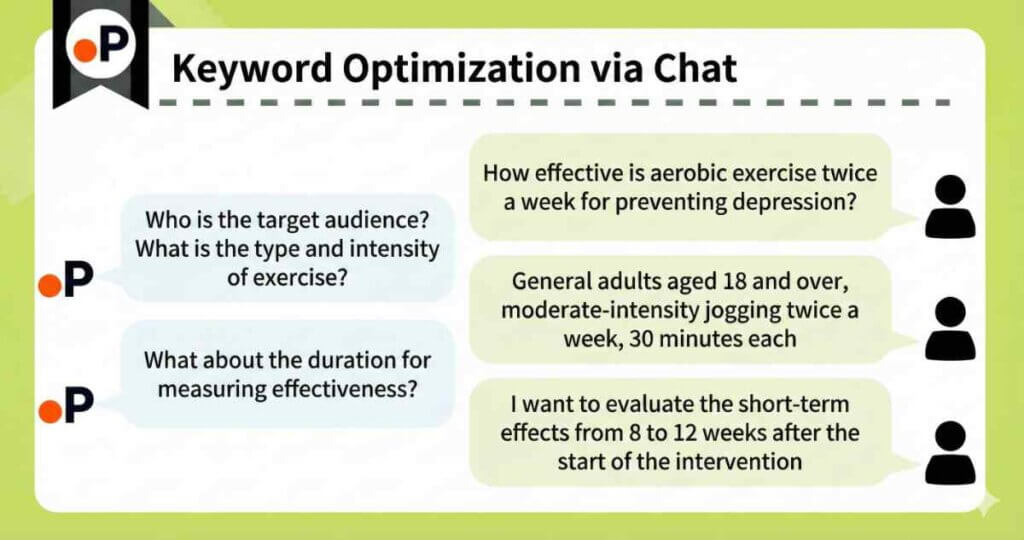
Following the chat interaction, the research question is significantly refined.
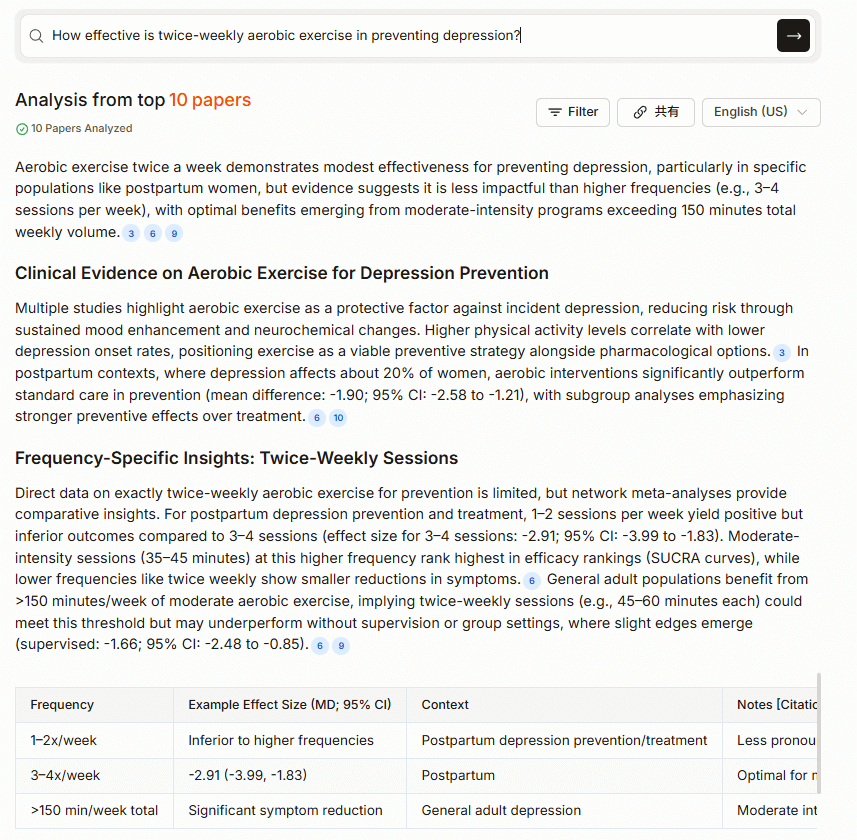
| Before | After(generated by AI via chat) |
|---|---|
| How effective is twice-weekly aerobic exercise for preventing depression? | In general adults aged 18 and older, how effective is moderate jogging performed twice a week (30 minutes per session) for preventing depression based on self-reported depressive symptom scores (e.g., PHQ-9)? (Focusing on randomized controlled trials, while also considering observational studies.) |
Furthermore, the Controlled Deep Research mode allows users to manually add, modify, or delete items regarding:
- Sub-questions (questions designed to broaden the search scope).
- Paper screening criteria.
- Selected papers.
This allows for significant user intervention in the review creation process. This functionality effectively rivals the features found in the top-tier plan of Elicit.
A detailed review like the one below 👇 is then generated.
For other search functionalities, consider the following applications.
Use AI Search when you wish to obtain an overview regarding your research question.
Use Literature Review when you seek to identify papers relevant to your research question.
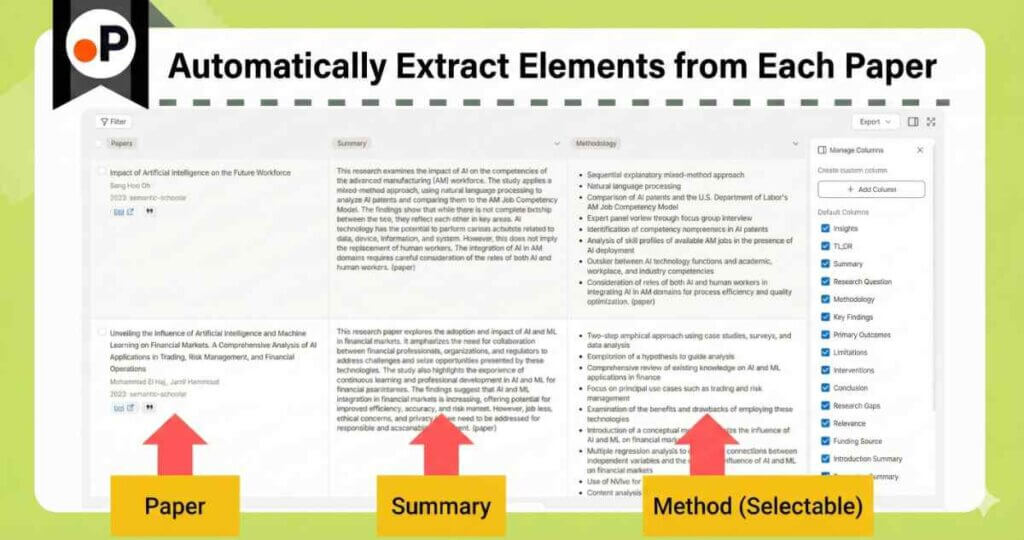

You can select the appropriate tool based on your specific requirements.
AI Writing Assistant for Academic Tone
By entering a prompt, the tool first automatically generates the headings.
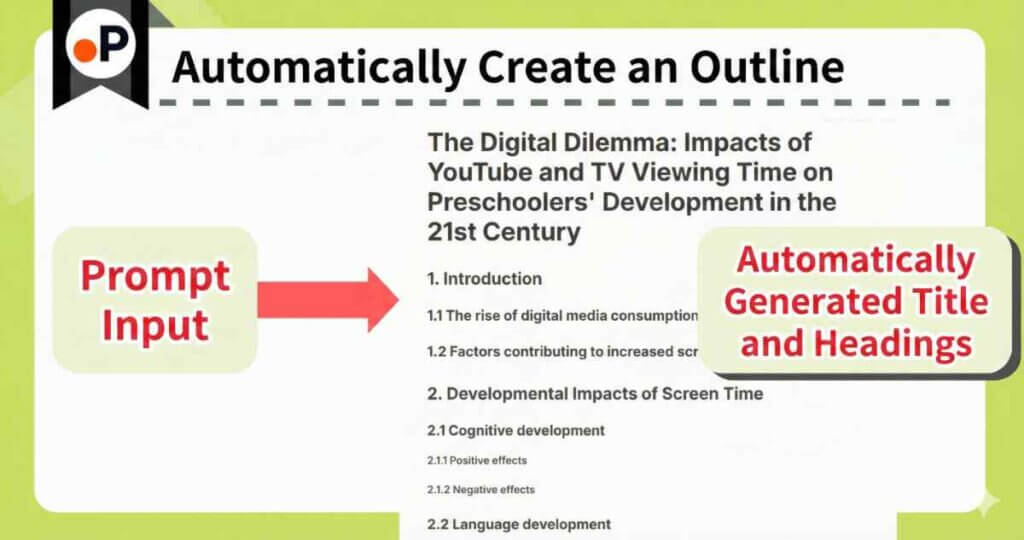
Review and refine the direction of the headings, and once finalized, proceed to the body text.
It is crucial to firmly establish the direction at the outline stage.
Subsequently, you can accelerate your writing process using AI as follows.
- Automatically generate titles and structures.
- Automatically draft content for each heading.
- Perform grammar checks and paraphrasing.
- Insert citations with a single click.
- Conduct plagiarism checks.
In many cases, this substantially speeds up the writing process.
Comprehensive Tool: From Search to Writing
You can extract necessary information with a single click while viewing the paper side-by-side.
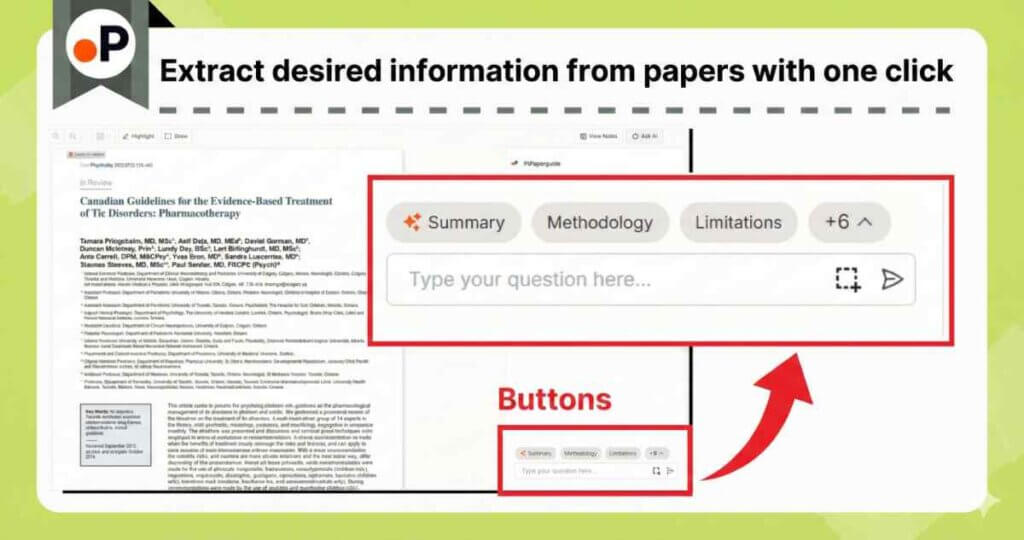
It also provides explanations for figures, tables, and unfamiliar terminology.
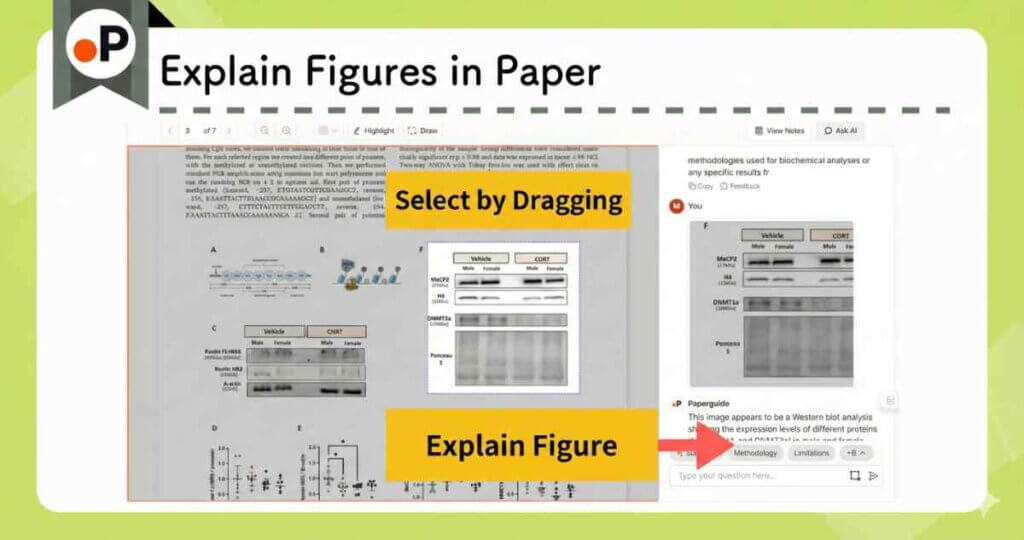
Although Paperguide is still relatively new and less well-known, I consider it an excellent all-in-one research tool. Its pricing is competitive relative to similar services.
Paperguide Pricing Plans
Paperguide offers three pricing plans.
- Free Plan
- Plus Plan (from $9.6/month)
- Pro Plan (from $19.2/month)
Plan Comparison
There is no disparity in AI quality between Paperguide’s Free and paid plans.
However, the Free Plan imposes usage limits.
We recommend upgrading to a paid plan as your usage frequency increases.
Simple Pricing Plan Comparison
| Free Plan | Plus Plan | Pro Plan | |
|---|---|---|---|
| Price | – | From $9.6/mo | From $19.2/mo |
| AI Output | △ Up to 5 times/month | ○ Unlimited | |
| Deep Research | △ Up to 2 times/month | 〇 Up to 10 times/month | ◎ Up to 50 times/month |
It is a significant advantage that users can evaluate performance equivalent to paid plans even within the Free Plan.
Should you find yourself wishing to use the tool more extensively, we recommend starting with the Plus Plan.
Paid Plan Pricing
| Plan | Billing Cycle | Monthly Price (Regular → Discounted) | Promo Code |
|---|---|---|---|
| Plus Plan | Annual | $12/mo → $9.6/mo | ACADEMIA20 (20%OFF) |
| Monthly | $19/mo → $15.2/mo | ||
| Pro Plan | Annual | $24/mo → $19.2/mo | |
| Monthly | $39/mo →$31.2/mo |
Students are eligible for a student discount of 40% OFF. (Please note that this cannot be combined with other coupons).
With continuous feature updates, Paperguide stands out as a highly cost-effective tool. Consequently, its market share is rapidly expanding.
For more details:
Official Site:Paperguide(https://paperguide.ai/)
Elicit

Elicit’s search precision has been further enhanced by a recent update.

Originally known for its comprehensive search capabilities, Elicit has been significantly strengthened by the update to its systematic review features.
- It is one of the few AI tools capable of “automatically generating” systematic reviews.
- It provides high-precision AI search results backed by evidence from academic papers in response to research questions.
Automating Systematic Reviews
In short, Elicit’s systematic review feature fully automates the major steps of a systematic review while allowing human adjustment at each stage.
Beyond merely collecting papers, Elicit automatically extracts and organizes the following data into a table:
- Study design
- Sample size
- Intervention
- Outcomes
- Effect sizes
Tasks that typically take researchers several days can now be completed in a matter of minutes.
The key advantage is that users retain the ability to refine the results manually.
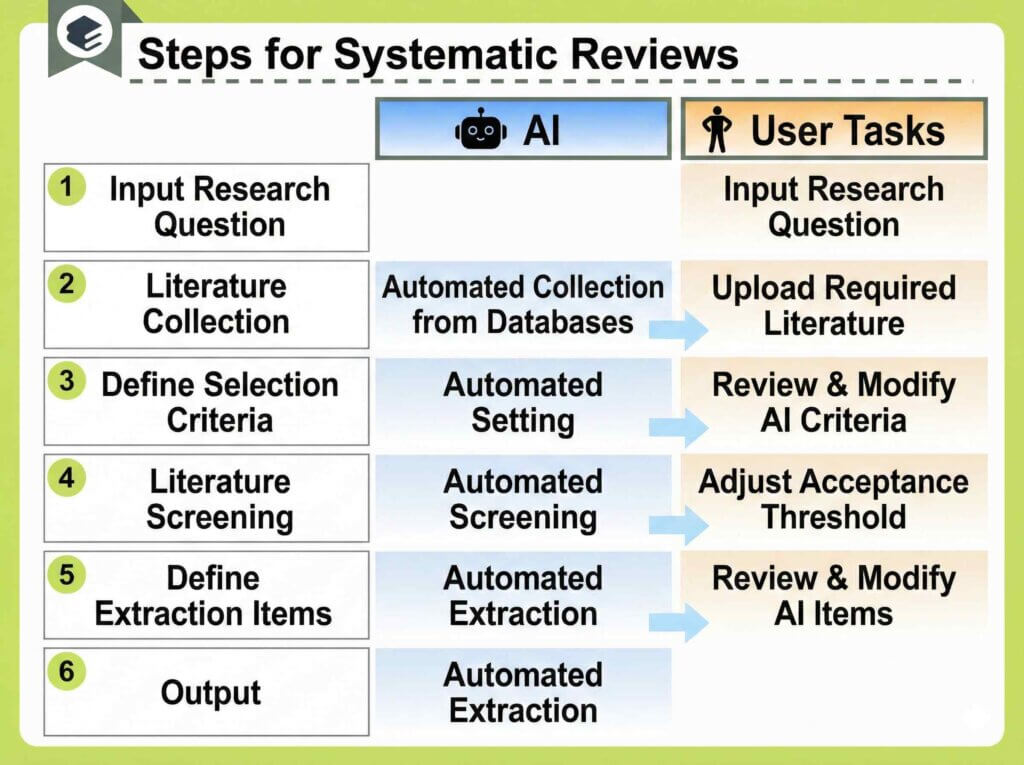
Let’s look at the type of report you can generate…
Here is an example of an actual report.
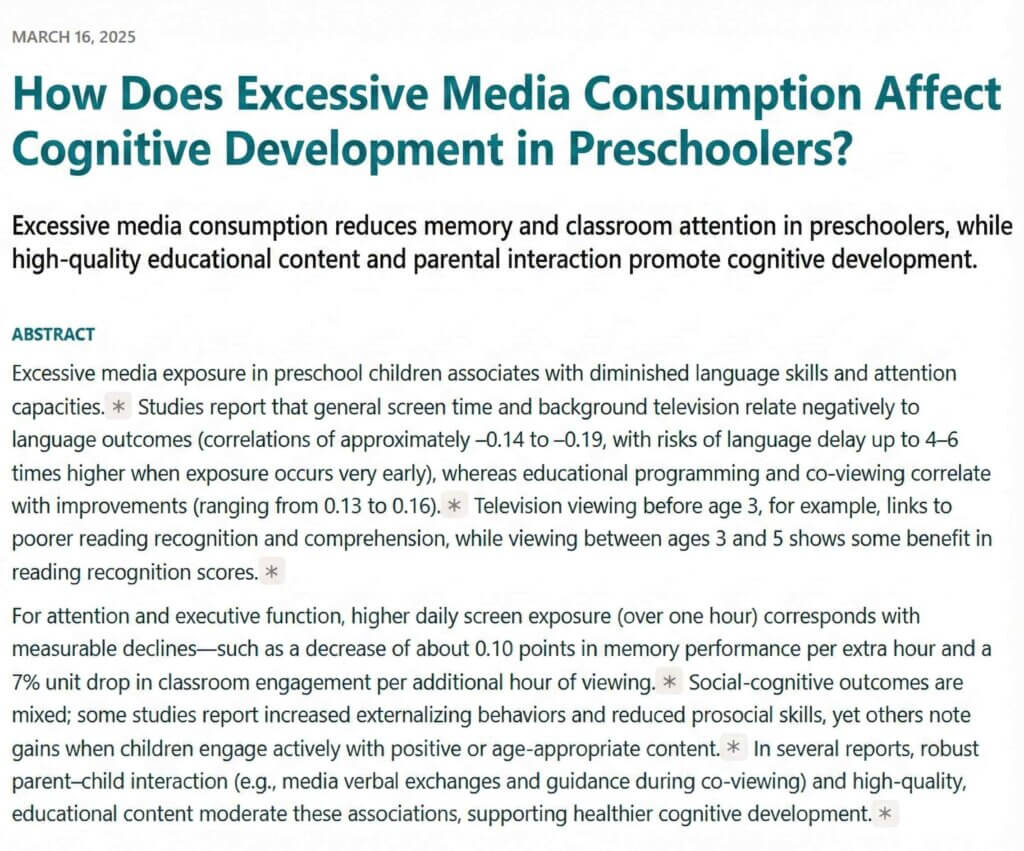
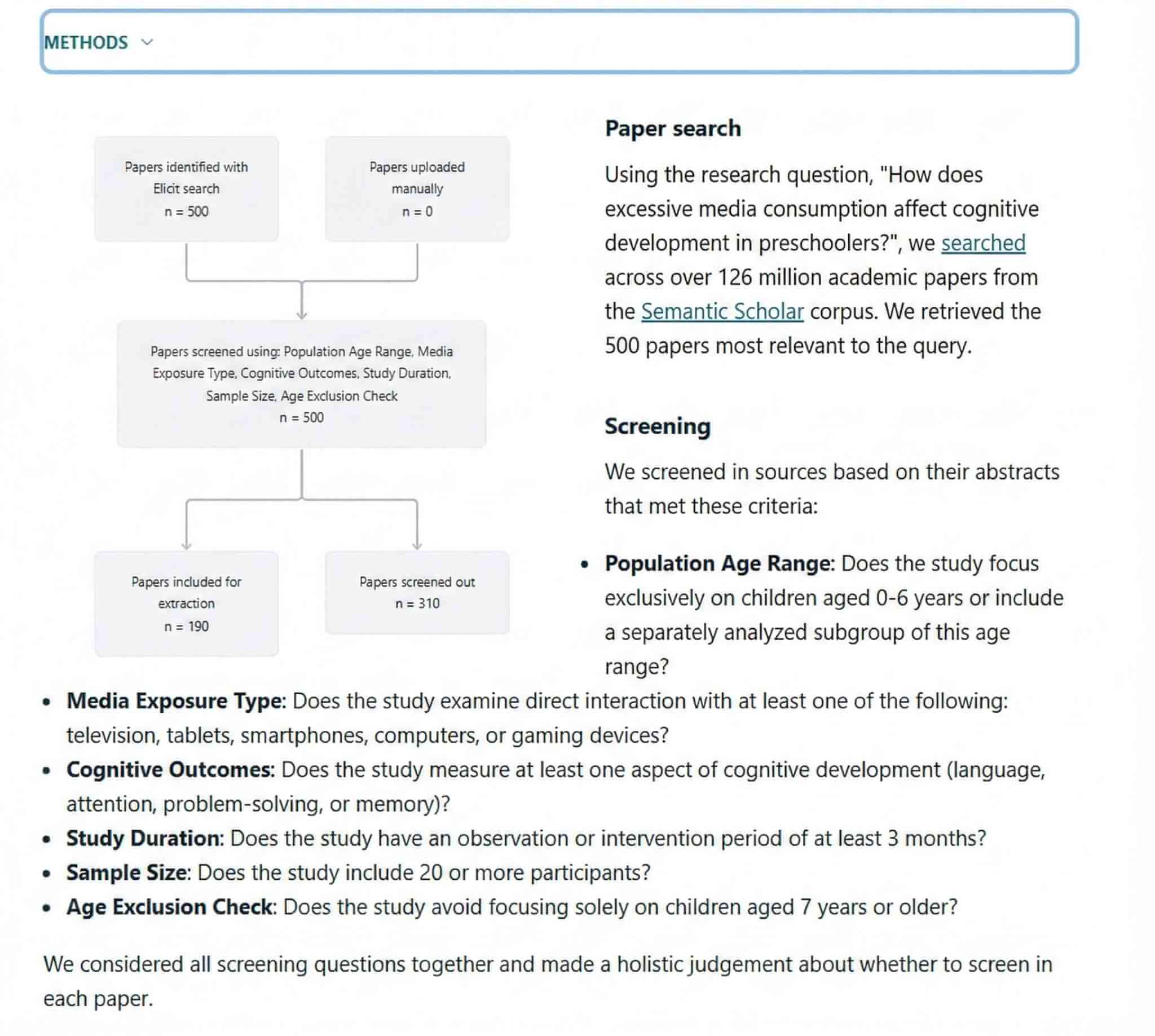
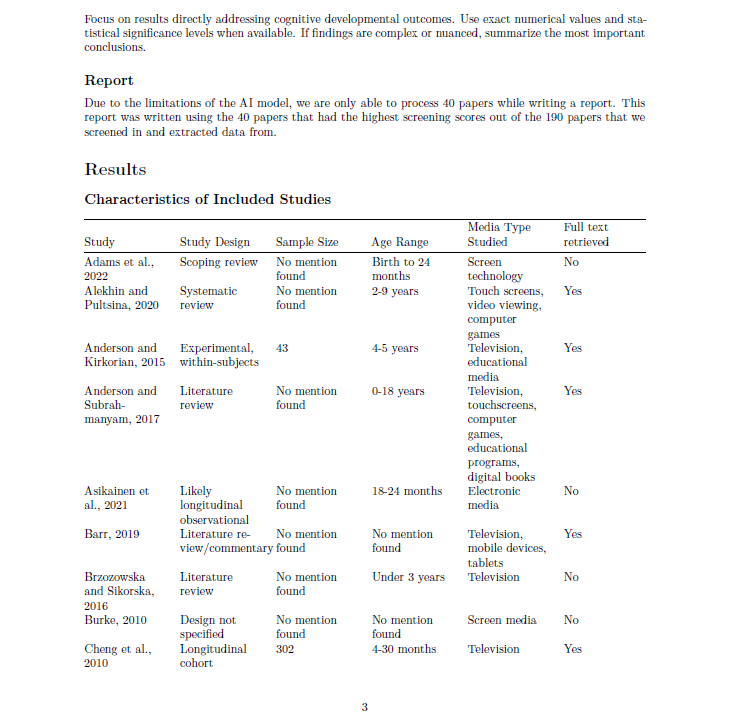
A review article based on a reliable methodology is generated instantly.
To be honest, the performance far exceeded my expectations.
While “systematic reviews” are limited to the paid Pro plan, this feature encapsulates the full potential of Elicit.
Evidence-Based Answers with Citations
Elicit facilitates highly precise academic literature searches.
- Access to a database of over 125 million papers
- Summaries accompanied by citations
- Extraction of key data points from each paper in the search results
- User-friendly search filters
Simply input your research question to query a database of over 125 million papers.
The tool initially presents a synthesized summary.
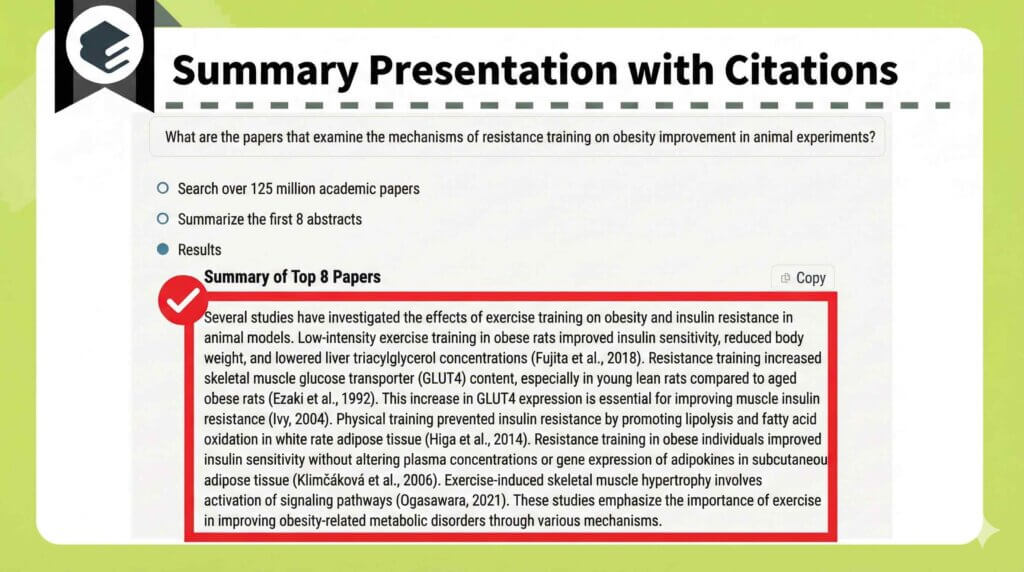
Below the summary, you will find a list of papers displayed in a table view.
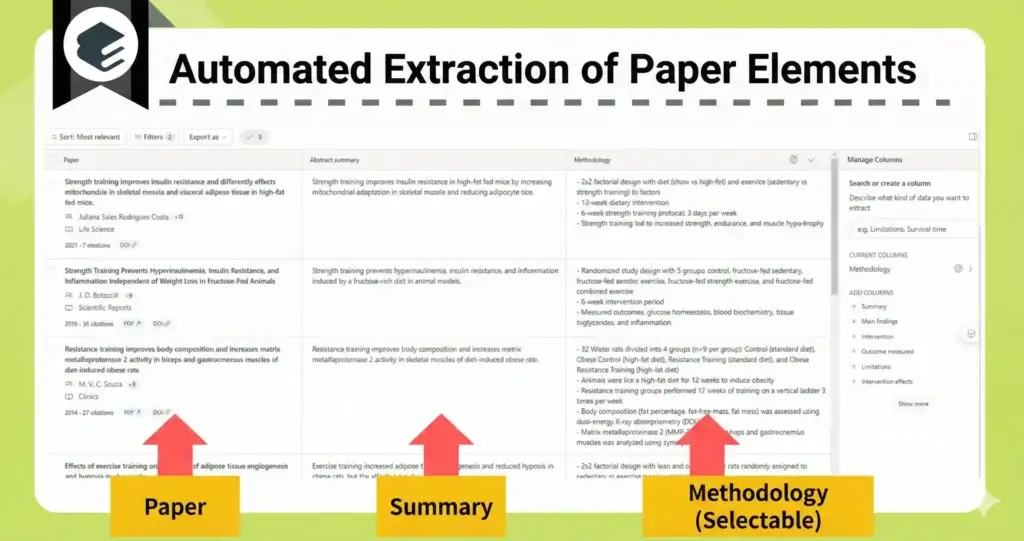
And here is a remarkable feature of Elicit: by clicking the citation number within the reference list, you can navigate directly to the relevant section of the full text!
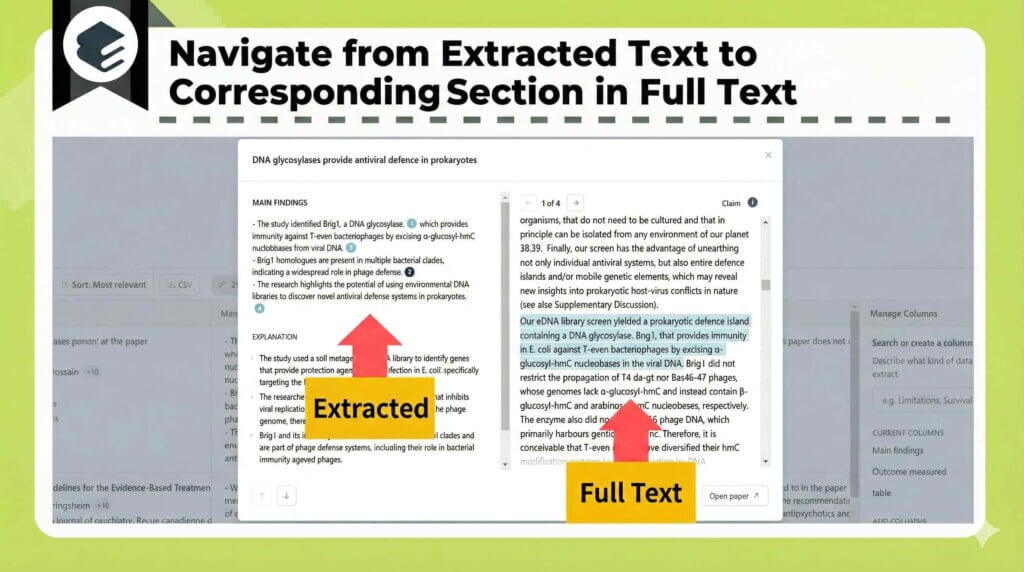
This is truly impressive.
Elicit Pricing Plans
Elicit offers three pricing tiers.
- Free Plan
- Plus Plan (starting at $9 per month)
- Pro Plan (starting at $41.60 per month)
Pricing Tiers Comparison
- The Plus plan is suitable for routine research activities.
- Upgrade to Pro when conducting literature reviews or systematic reviews.
The Free plan offers unlimited search capabilities, and data extraction from papers is also available.
| Free | Plus | Pro | |
| Literature Search | Unlimited | Unlimited | Unlimited |
| systematic reviews | |||
| Data Extraction | Up to 20 / month | Up to 50 / month | Up to 200 / month |
| Add Columns to Table | 2 columns at once | 5 columns at once | 20 columns at once |
| High-Precision Mode | Up to 1 column per table | Unlimited | |
| Chat with Papers | 4 papers at once (Unlimited) | 8 papers at once (Unlimited) | 8 papers at once (Unlimited) |
| CSV/BIB/RIS Export |
Since this table alone may be insufficient, please refer to the detailed article on Elicit for further information.
Paid Plan Pricing
| \Recommended/ Annual Contract | Monthly Contract | |
|---|---|---|
| Plus Plan | $10 / month ($120 / year) | $12 / month |
| Pro Plan | $46.1 / month ($499 / year) | $49 / month |
Previously, continuous use was not possible without subscribing to a paid plan.
However, the pricing structure has recently been revised, allowing for limited use even on the Free plan.
The Plus plan is recommended if you wish to conduct more precise and accurate searches.
Furthermore, the Pro plan is required if you intend to conduct systematic reviews.
For more details:
Official Website:Elicit(https://elicit.com/)
Detailed Article:[Comprehensive Guide] Benefits and Pricing of Elicit: A Detailed Explanation of the AI Tool for Streamlining Literature Search
Consensus

Since Consensus exclusively sources peer-reviewed papers, it is highly effective for high-precision literature searches, similar to Elicit.
- Enables high-precision literature searches that draw only on scientific evidence.
- Visualizes the level of agreement by aggregating affirmative and negative findings (Consensus Meter).
Extracting Pure Scientific Evidence
Consensus explicitly outlines the recommended search methodologies as follows.
- Questions regarding the relationship between concepts.
(e.g., “Does creatine improve cognition?”) - Questions answerable with a “Yes” or “No”.
(e.g., “Can zinc supplements treat depression?”) - Questions concerning the effects of a specific phenomenon.
(e.g., “What are the economic impacts of immigration?”)
You can utilize Consensus most effectively by formulating questions rather than simply listing keywords.
A defining feature of the Consensus search results interface is its readability, enhanced by clear labeling.
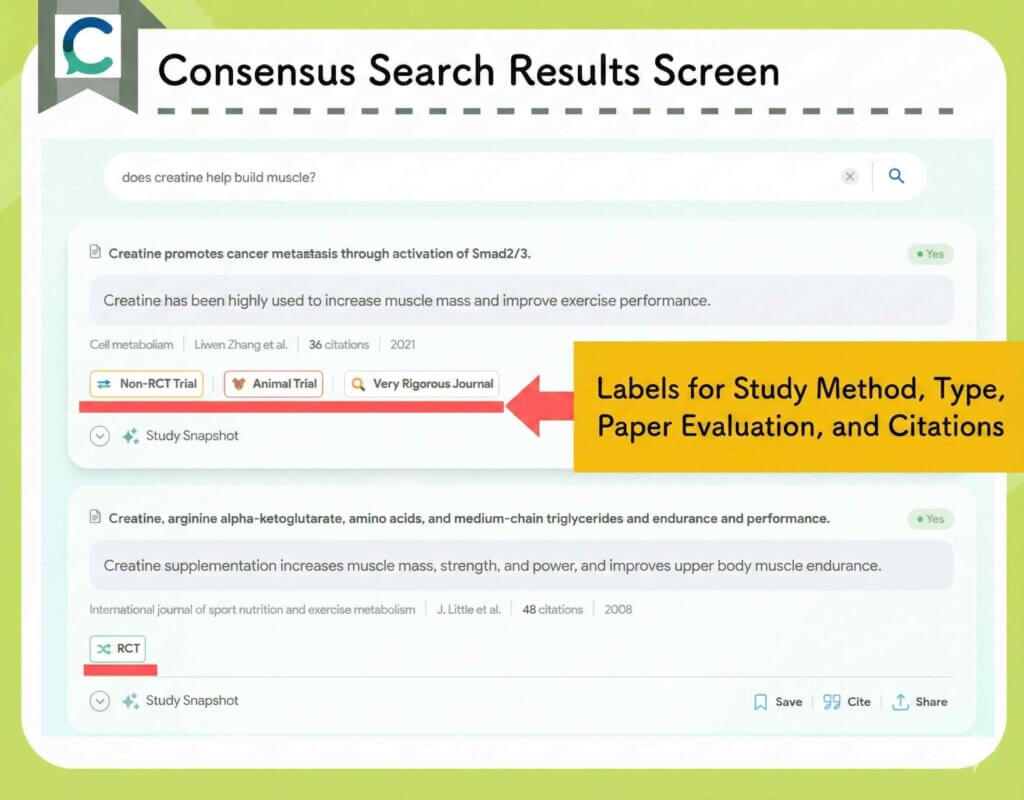
The labels include the following categories:
- Study Assessment: “Rigorous Journal”, “Very Rigorous Journal”
- Citation Metrics: “Highly Cited”
- Study Design: “RCT”, “Non-RCT Trial”, “Case Report”, etc.
- Clinical or Pre-clinical classification: “Animal Trial”, etc.
Visualizing Agreement with Consensus Meter
A defining feature of Consensus is its result aggregation function, the Consensus Meter.
When you input a question answerable with a “Yes” or “No,” the tool analyzes the perspectives found in previous studies.

This allows you to instantly grasp the prevailing consensus or dominant view within the field.
You can utilize this feature by toggling Synthesize to “ON” in the top-left corner of the screen.
Please note that the Free plan places a limit on the number of times this function can be used.
Consensus Pricing Plans
Consensus offers four pricing plans.
- Free Plan
- Pro Plan: Starting from $10 / month
- Deep Plan: Starting from $45 / month
| Free Plan | Pro | Deep | |
|---|---|---|---|
| Annual Fee | – | $120 | $540 |
| Monthly Equivalent | – | $10 | $45 |
| Basic Quick Search | |||
| Pro Search | Up to 25 times/month | Unlimited | |
| Deep Search | Up to 3 times/month | Up to 15 times/month | Unlimited |
| SnapShot | 10 times/month | Unlimited | |
| Use of Pro Analysis Powered by GPT-4 | 10 times/month | Unlimited | |
| Ask Paper | 10 times/month | Unlimited | |
In summary, the paid plan is highly recommended for routine research activities.
Subscribing removes various usage limitations.
Students can utilize the service at a significantly reduced rate.
\Students receive a 40% discount on the Pro plan/
- Simply register using your institutional email address.
Alternatively, please follow these steps: - Send an email to student@consensus.app containing the information listed below, and follow the instructions provided.
- Your current Consensus account email address
- Proof of enrollment (Student ID card, institutional email address, etc.)
- Expected year of graduation
Connected Papers

Visualizing Research Connections
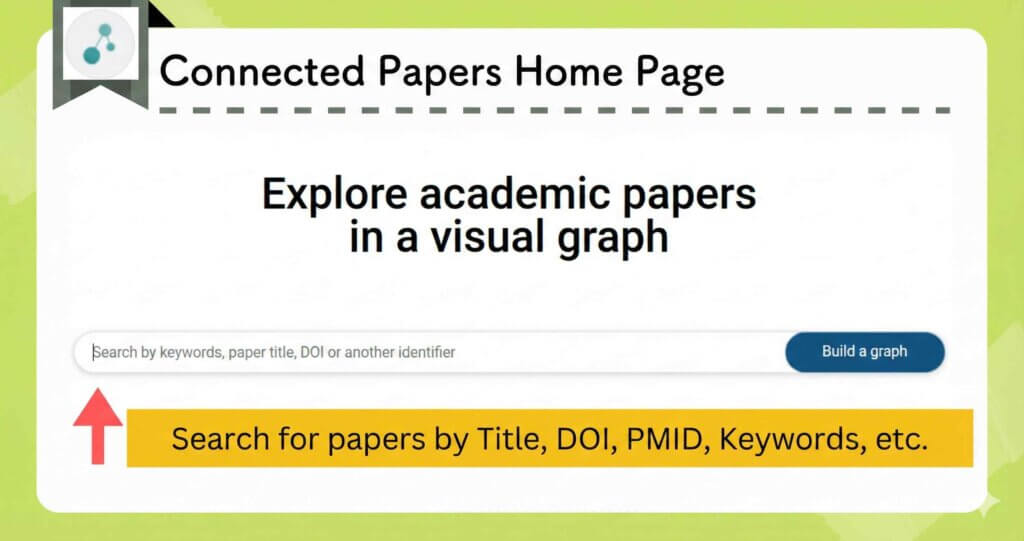
Upload your paper from the homepage.
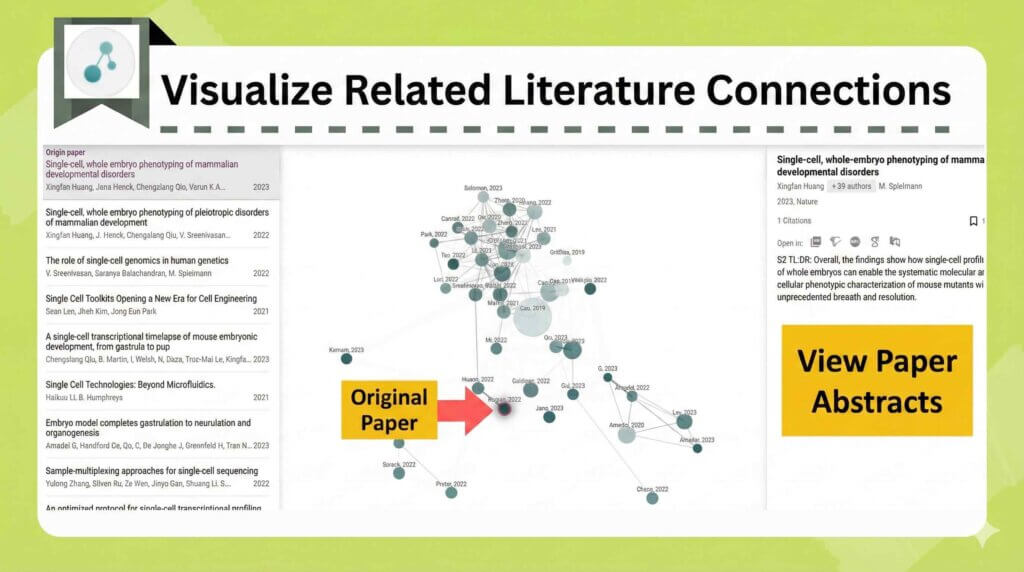
The tool visualizes related papers around your origin paper.
The distance between circles represents the strength of the relationship.
The size of each circle shows how often the paper has been cited.
You can also switch to a list view to inspect each paper in detail.
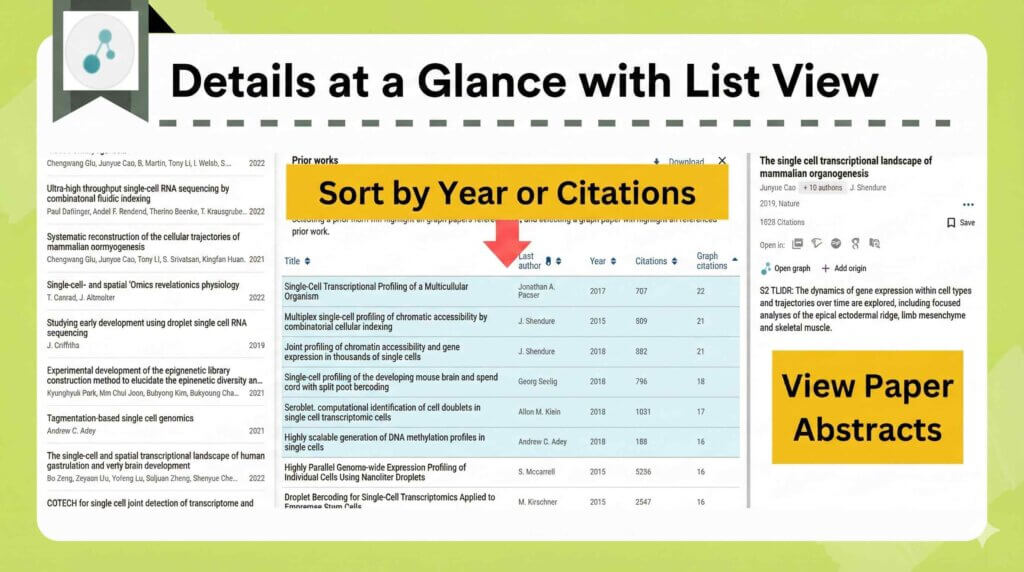
It feels similar to Research Rabbit, but the interface is easier to use.
Connected Papers Pricing Plans
The annual plan works out to roughly$5–6 per month.
Please note that the price may vary depending on exchange rates.
You can generate up to five graphs per month for free, so give it a try.
For more details:
Official website:Connected Papers(https://www.connectedpapers.com/)
Guide article:Benefits of Using Connected Papers: Seven Recommended Features and Pricing Plans
Research Rabbit Is Another Great Option.
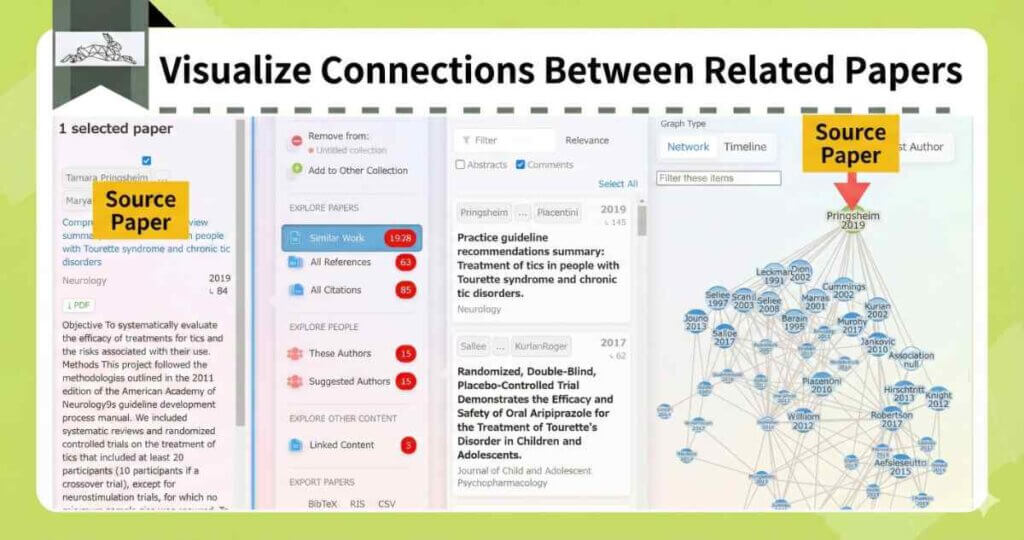
Research Rabbit is currently completely free to use.
For more details
Official website:Research Rabbit(https://www.researchrabbit.ai/)
Donations:https://opencollective.com/researchrabbit
Guide article:What Is Research Rabbit? An Active Researcher Explains an AI Tool That Visualizes Related Papers
Paperpal

Here, I would like to introduce a valuable tool for manuscript preparation.
Paperpal is an English proofreading tool provided by Editage, a leading English editing service.
- It offers high-precision proofreading that refines your text into publication-ready English in seconds.
- It ensures consistency in style, vocabulary, and logic, resulting in manuscripts that are robust enough for peer review.
- You can view the rationale behind corrections and the revision history, which helps improve your own academic writing skills.
Paperpal is an AI trained on a vast amount of English editing data from professional editors.
For experienced researchers, it is entirely possible to finalize a manuscript for submission using Paperpal alone.
Instant Academic Proofreading
Let’s try running a manuscript through Paperpal‘s “Pre-submission check.”
It evaluates the text across 7 major categories, covering a total of 30 specific items.
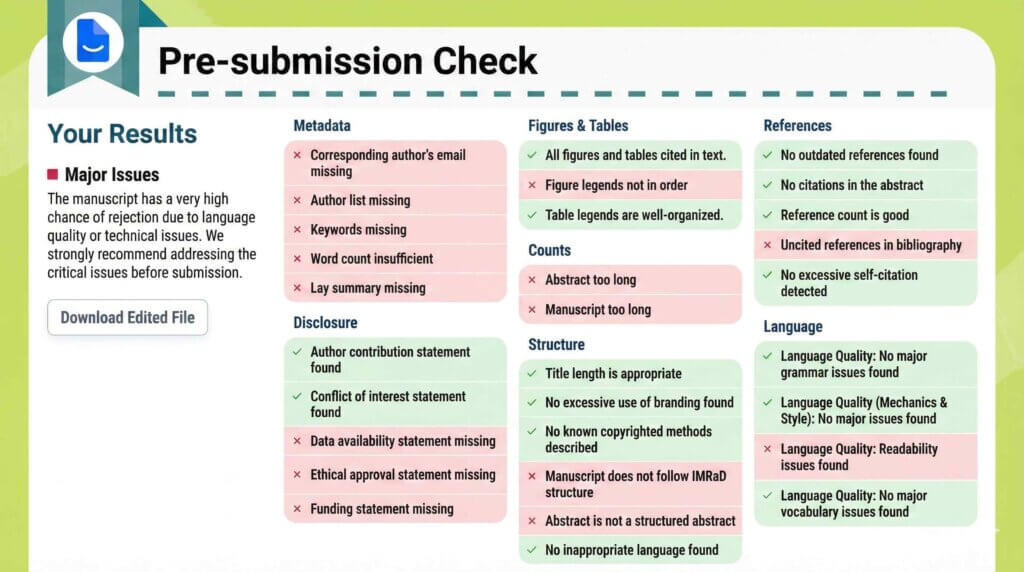
Actual Report
- Overview of Manuscript-Specific Check Items
You will receive comments on the 30 check items, which can also be viewed directly in the browser.
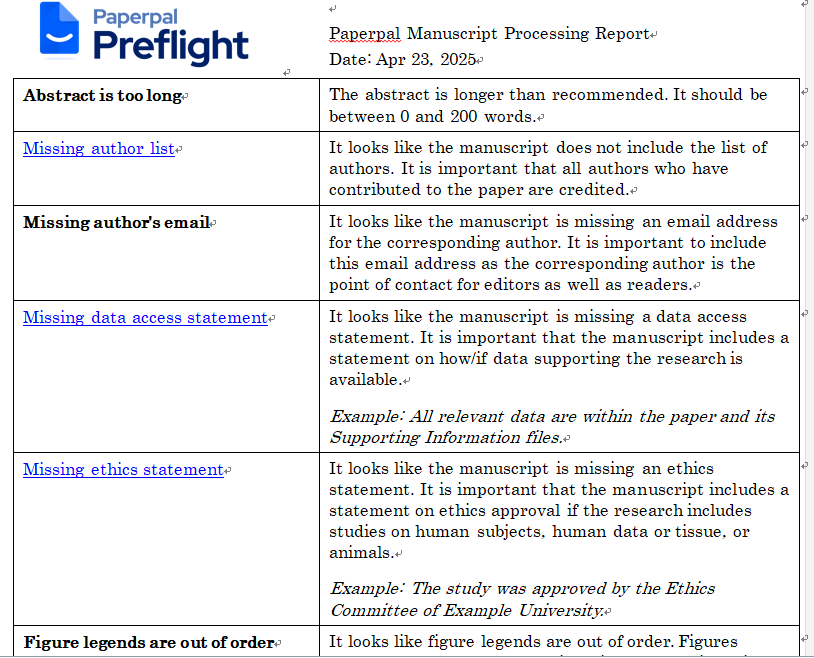
- Revisions with Tracked Changes Suggestions with Comments
The English proofreading function thoroughly checks the entire text for grammar (such as articles and noun numbers) and word consistency.
A highly appreciated feature is that it leaves tracked changes and provides comments.
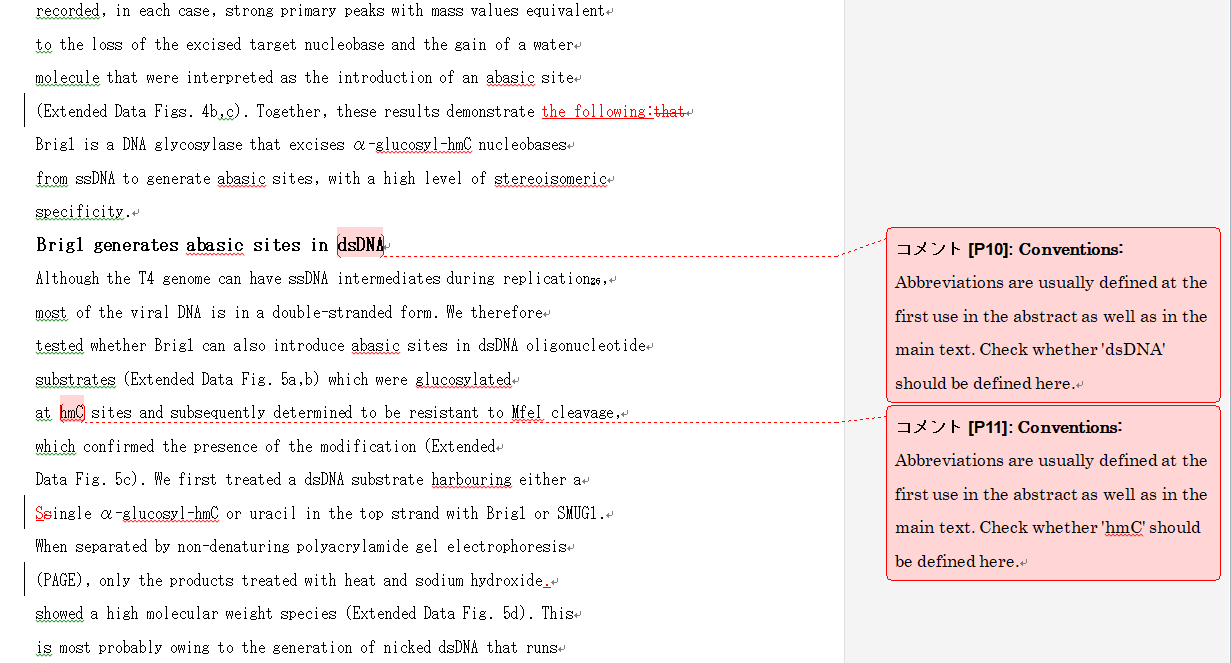
(I will explain the details of the English proofreading later.)
In this way, you can obtain feedback extremely close to that of a professional editor in just a few minutes!
Enhancing Consistency for Publication
- English Proofreading (Articles, Singular/Plural, etc.)
- Consistency Check
English Proofreading (Articles, Noun Numbers, etc.)
It corrects grammatical errors and unnatural expressions.
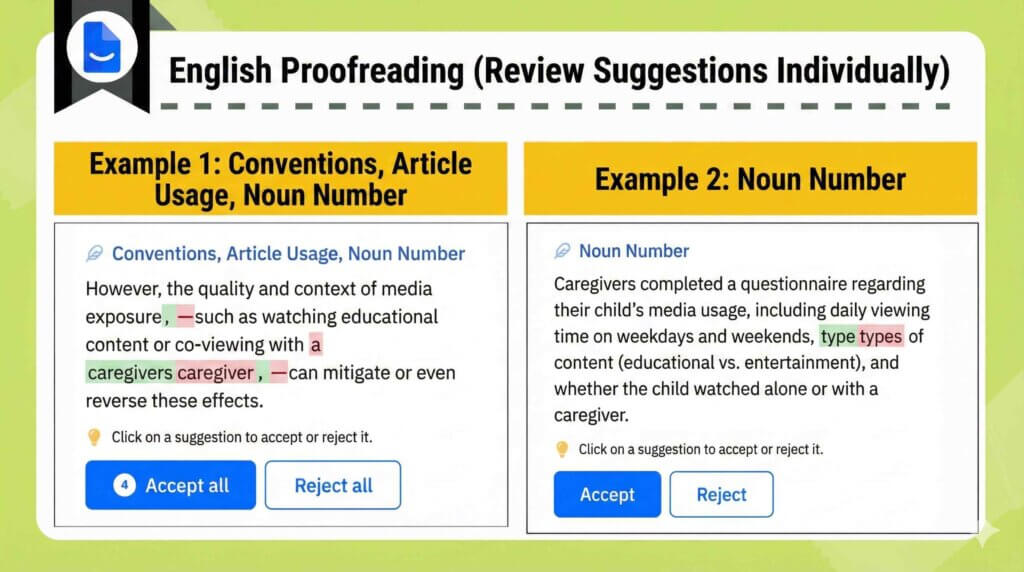
You can choose to either “Accept” or “Reject” each correction!
It is helpful to be able to review and select them one by one.
Consistency Check
The AI automatically detects inconsistencies in terminology, tense, and tone, offering suggestions for correction.
This ensures the manuscript is finished with consistency maintained throughout.
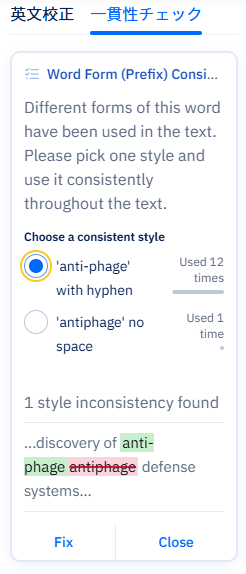
In the figure above, it points out that “anti-phage” (with hyphen) and “antiphage” (without hyphen) are not unified.
Let’s review and correct these one by one as well.
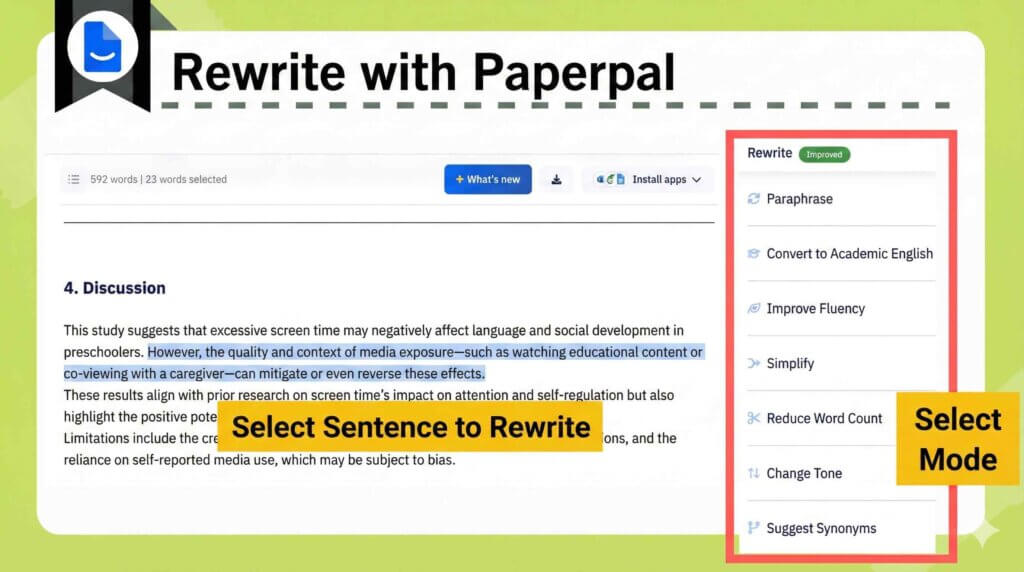
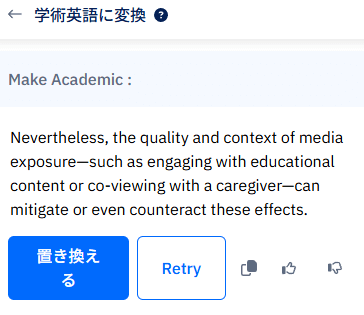
Improving Writing Skills via Feedback
For example, let’s try rewriting a drafted text using “Academic Mode.”
| Paperpal | ChatGPT, etc. |
|---|---|
| You can track the revision history. | When tools like ChatGPT rewrite the entire text at once, it becomes difficult to track specific changes. |
You can review each suggested revision one by one and decide whether to accept it.
Over time, this feedback helps strengthen your writing skills.
Paperpal Pricing Plans
- Free Plan
- Prime Plan
- starting from $9.27/ month when you use a coupon.
- Apply the coupon code: ACADEMIA20
You can select from three subscription durations: monthly, quarterly, or annual.
The annual subscription is by far the most cost-effective option.
| (Recommended) Annual Plan | Quarterly Plan | Monthly Plan | |
|---|---|---|---|
| Standard Price | $139/ year | $55/ 3 months | $25/ month |
| Monthly Equivalent | $11.58/ month | $18.33/ month | $25/ month |
| Discount Code | ACADEMIA20 | ||
| Discounted Price | $9.27/ month | $14.67/ month | $20/ month |
Note: Please check the [Official Website] for real-time pricing.
Feature Comparison by Plan
If you plan to use the service regularly, subscribing to the paid Prime Plan is highly recommended.
- The number of English proofreading and consistency checks varies.
- The usage limits for AI features* differ.
- The allowable word count for plagiarism checks is different.
- Access to R Discovery Prime becomes available.
| Free Plan | Prime Plan | |
|---|---|---|
| English Proofreading & Consistency Checks | Up to 200 suggestions / month | Unlimited |
| AI Features* | 5 times / day | Unlimited |
| Citation Generation | Unlimited | Unlimited |
| Plagiarism Check | 7,000 words / month | Up to 10,000 words/month (higher quality) |
| Submission Readiness Check | Limited availability | Unlimited |
| R Discovery | Free features only | Access to Prime features |
Note: “AI features” refer to rewriting, research and citation, text generation, and templates.
The monthly limit of 200 suggestions for proofreading is exhausted surprisingly quickly.
The Free Plan is suitable for a trial run.
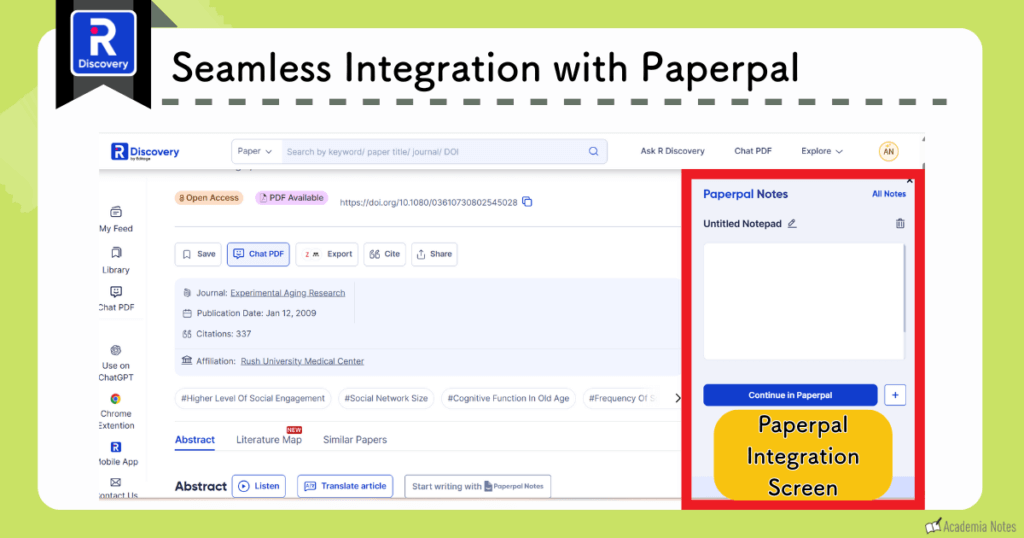
Subscribing to the paid plan automatically grants access to the features of R Discovery Prime.
R Discovery and Paperpal demonstrate excellent synergy.
This combination establishes a highly efficient workflow.
You can proceed with your writing in Paperpal while simultaneously conducting a literature search using R Discovery.
For more details:
Official Site:Paperpal (https://paperpal.com/)
Related Article:Paperpal Review: AI Proofreading for Academic English Papers (Features & Benefits)
Scisummary

Specialized Scientific Summaries
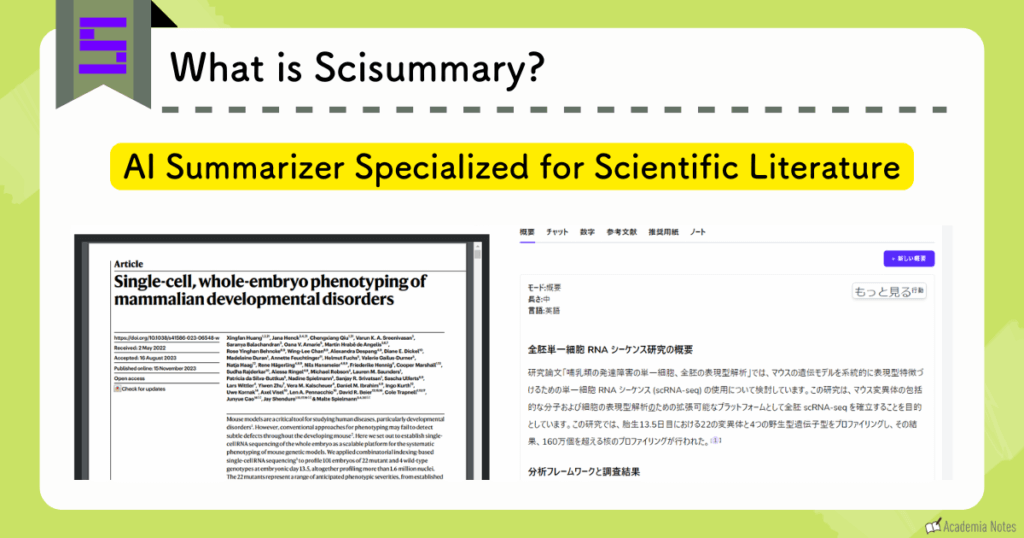
You can customize the level of summarization according to your needs.
- Mode (Summary, Highlight, Key Points, Simplify, etc.)
- Length of Summary (Long, Medium, Short)
- Language
The resulting content is extremely easy to read.
Seamless Summaries Without Opening a Browser
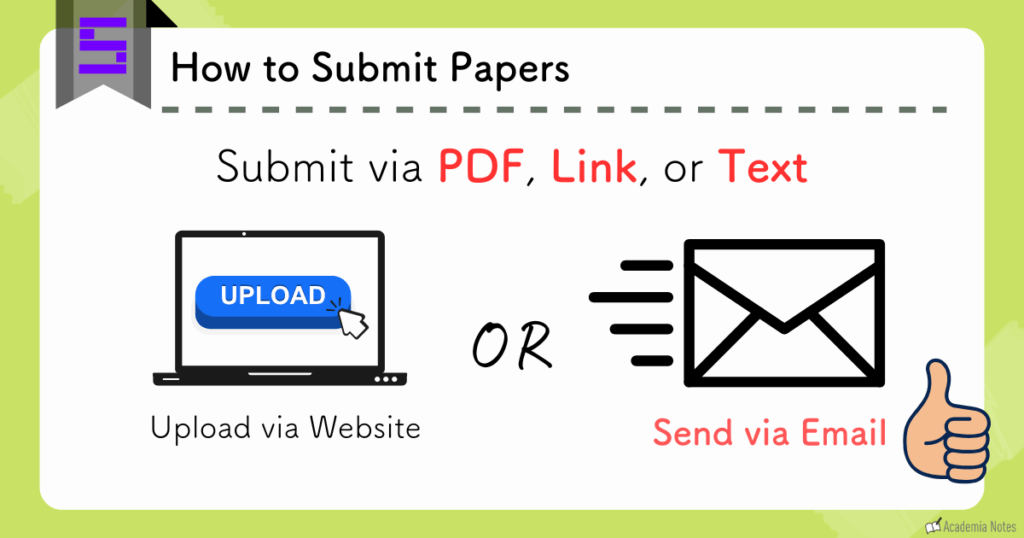
A particularly impressive feature is that the requested summaries are automatically sent to your registered email address.
Furthermore, you can simply email PDF files directly to Scisummary.
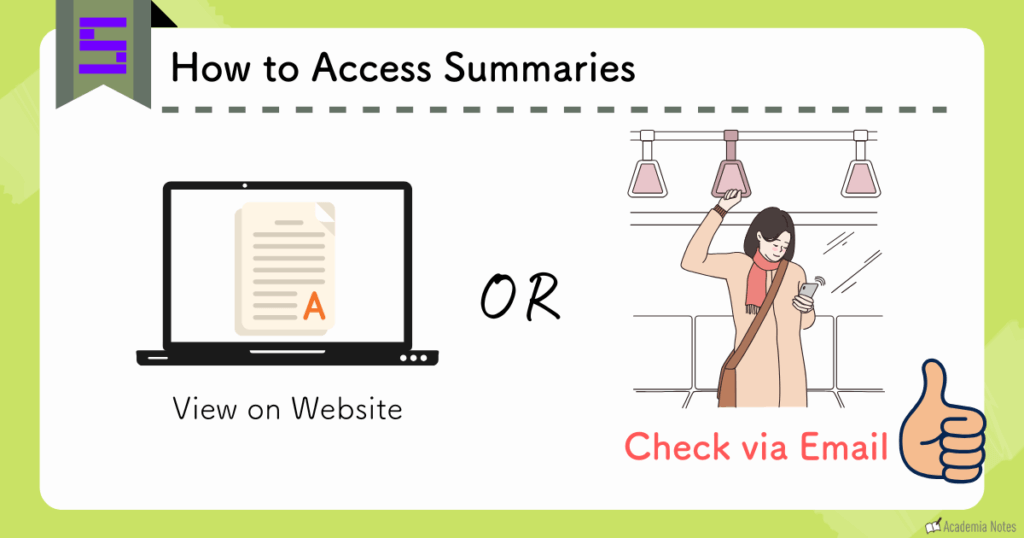
The interface is highly optimized for mobile viewing.
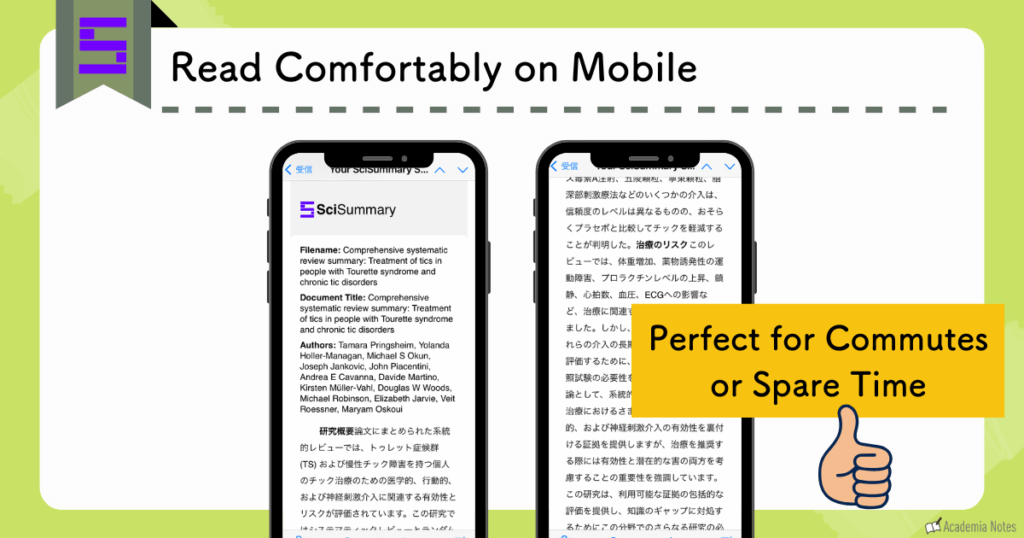
This is incredibly convenient during your commute or in brief spare moments when you prefer not to open a web browser.
Explaining Charts & Tables
As a new feature, the tool can now provide explanations for figures and tables.
When you open a paper in the browser and click the “Figure” tab, a list of all figures within the paper is displayed.
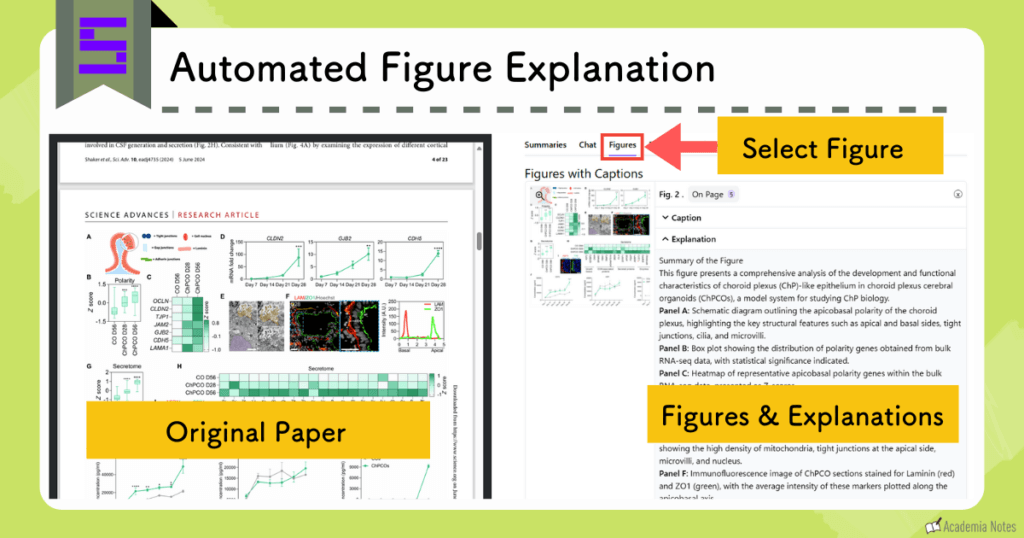
Currently, the explanations for figures are generated in English.
Therefore, I use the DeepL browser extension to translate them for my use.
Since this feature has just been released, I look forward to future updates and improvements.
SciSummary Pricing Plans
While this is primarily a paid service, the annual subscription brings the cost to under $3 per month.
| \Highly Recommended/ The Annual Plan costs | The Monthly Plan costs |
|---|---|
| 2.92 USD per month (34.99 USD per year). | 6.99 USD per month |
This tool accelerates your reading speed and allows you to effectively utilize spare moments for reviewing literature.
It is highly recommended for time-constrained researchers.
We encourage you to start with the 7-day free trial.
For further details, please refer to the links below:
Official Website:SciSummary(https://scisummary.com/)
Explanatory Article:[2024 Update] What is “SciSummary”? A Guide to Usage and Pricing Plans for the Scientific Summarization Tool
\ Click to jump to the tool that interests you /
Capabilities of AI Paper Search
We have introduced a variety of tools; now, let us summarize the key benefits of utilizing them.
Semantic Search & Intent Matching
A common limitation of conventional literature databases is that search results often vary significantly based solely on keyword selection, even for synonymous terms.
AI-powered tools recognize these synonyms and retrieve relevant literature that aligns with your specific research intent.
This eliminates the need to manually conduct multiple searches using different keyword variations.
Citation-Backed Answers to Queries
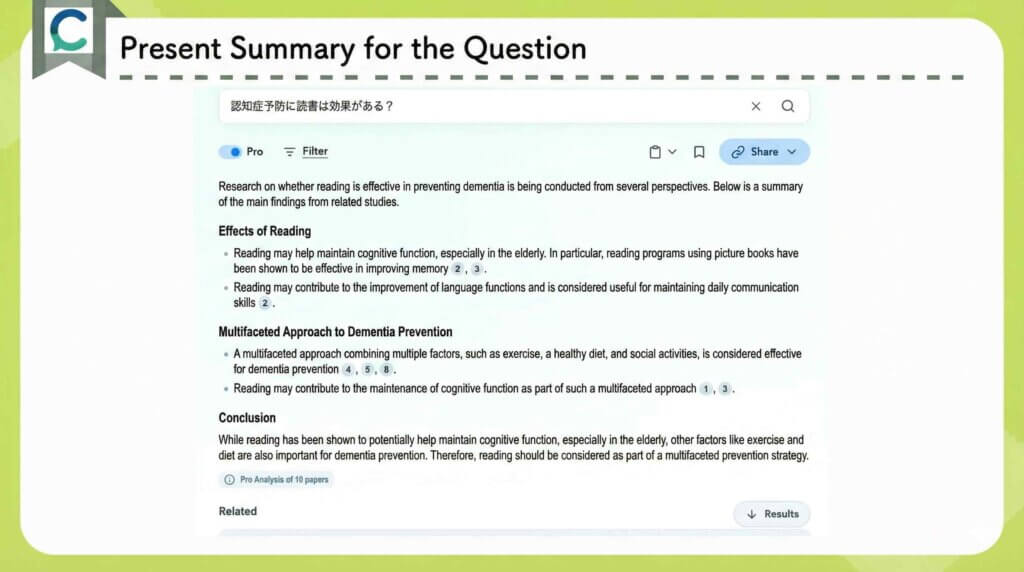
The AI autonomously synthesizes answers to your research questions by citing key publications.
Automated Summaries of Search Results

You can instantly determine relevance without the need to read through every abstract.

Researchers often encounter the frustration of examining the full text only to realize it does not align with their objectives, necessitating a renewed search.
Aggregating Research Findings
This is a unique feature of the AI tool Consensus.
For binary yes-or-no research questions, the tool calculates the percentage of top-ranking papers that support each position.
This allows you to visualize the scientific consensus and identify the prevailing opinion at a glance.
Multi-Paper Extraction & Comparison
This function is invaluable when you need to conduct a comprehensive comparative analysis of related literature.
I recall manually creating these comparison matrices in Excel in the past.
Visualizing Related Research
You can identify relevant literature and verify that your bibliography is comprehensive during manuscript preparation.

Gone are the days of manually tracing citations to find related studies in reference lists.
Benefits of AI-Assisted Reading
Instant Content Summarization
It instantly generates summaries in clear, accessible language.
Resolving Doubts via Chat
The chatbot addresses a wide range of inquiries, including clarifications on unfamiliar terminology, methodologies, and discussion points.
This marks the end of the era where you had to interrupt your reading to look up a single unfamiliar term.
Explaining Math & Visuals
Simply highlight specific equations or figures, and the chatbot will provide a detailed interpretation.
Summary of Featured Tools
Click to jump to the tool that interests you.
Let’s enhance research efficiency by making effective use of cutting-edge tools.